AI Lab website: round 5

The faculty headshots are untouched, people in the campus photos are left out of every effect (their areas were masked by hand), every overlay is real model output computed offline, and every link opens its page with motion on.

The image effects on 14 Stevens photos

Effects A, B and C from round 3 ran on twelve more official Stevens photos. Each page now has a picker, so any usable photo can be tried in the room.

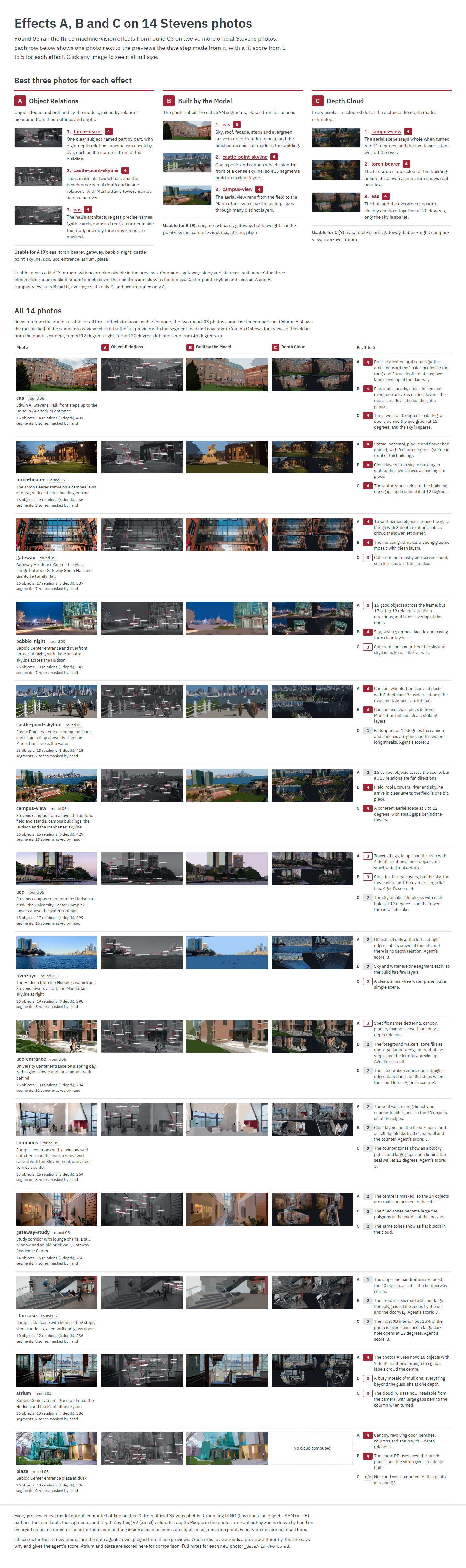
The comparison page: the best three photos for each effect, then a row for each of the 14 photos with its previews and fit scores

The comparison

Each of the 14 photos beside its previews for A, B and C, with a fit score from 1 to 5 for each effect.

  • A, Object Relations: torch-bearer, castle-point-skyline, eas
  • B, Built by the Model: eas, castle-point-skyline, campus-view
  • C, Depth Cloud: campus-view, torch-bearer, eas

Commons, gateway-study and staircase suit none of the three effects.

  1. Sample PA2: Object Relations

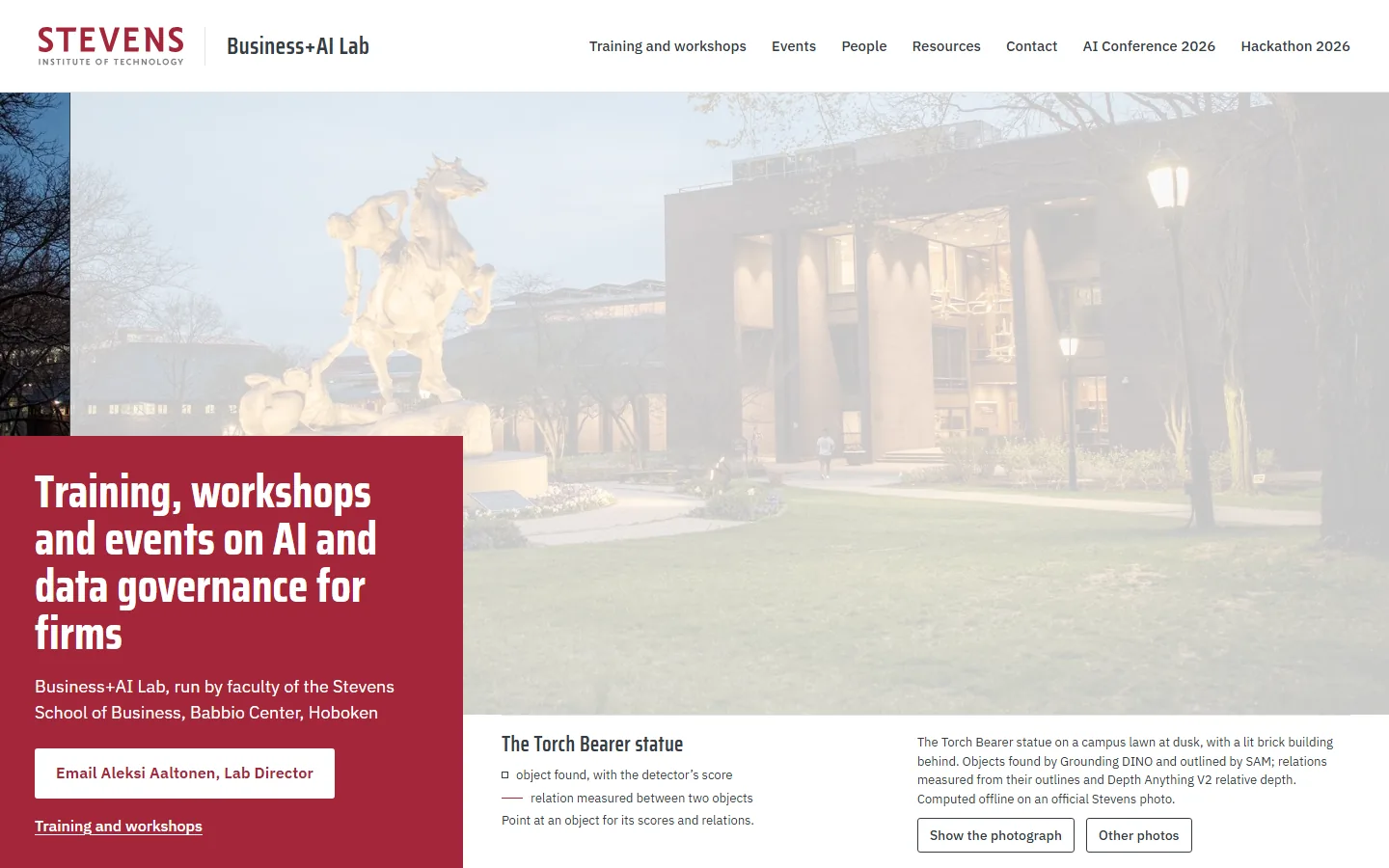
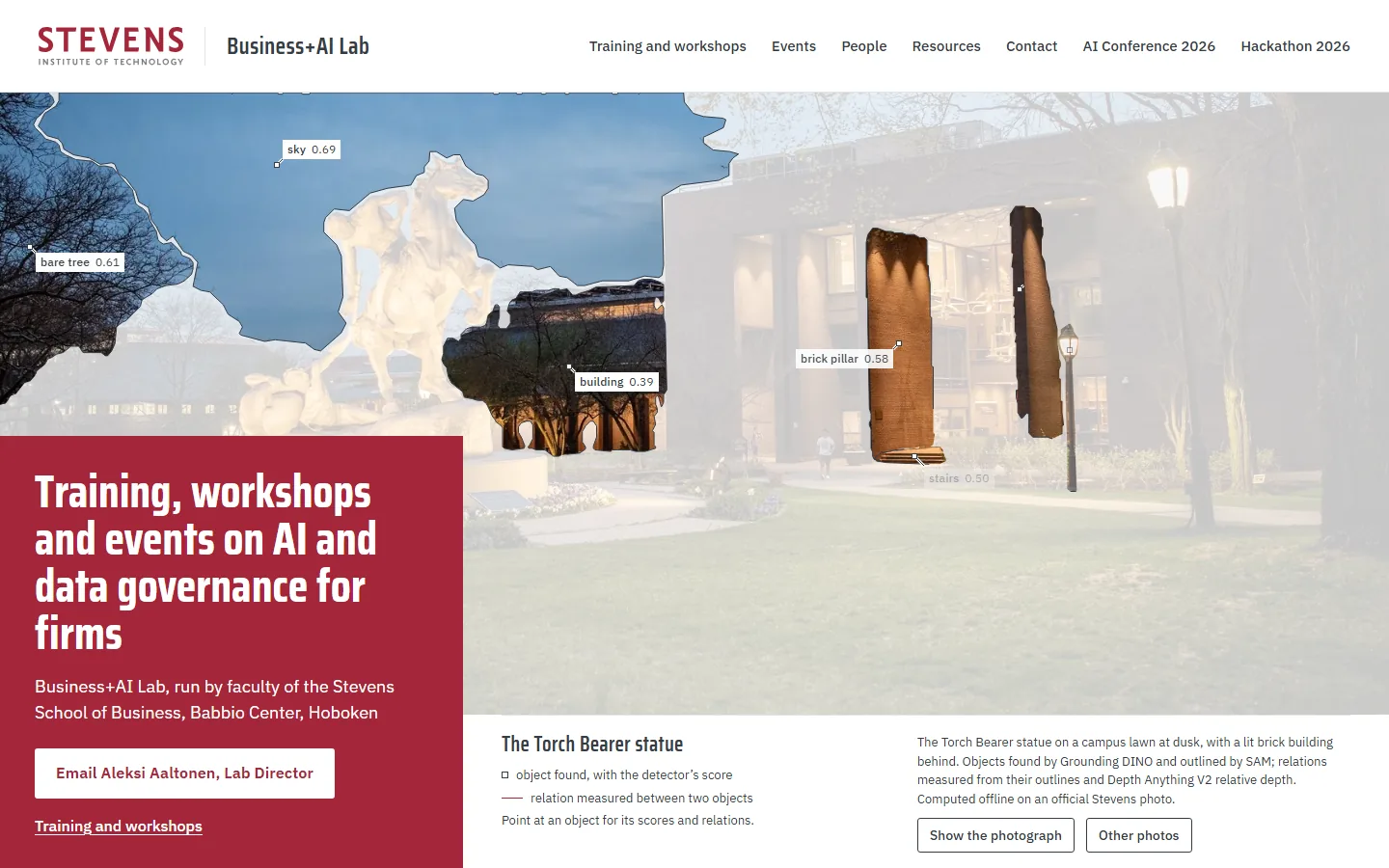
    1. Sample PA2 on a laptop, moment 1: the Torch Bearer photo, pale, beside the red panel with the offer and the email button1The photo pales before the drawing
    2. Sample PA2 on a laptop, moment 2: the sky, a bare tree, the building and a brick pillar cut out in full color, each labelled with its detector score2The first objects cut out, with their scores
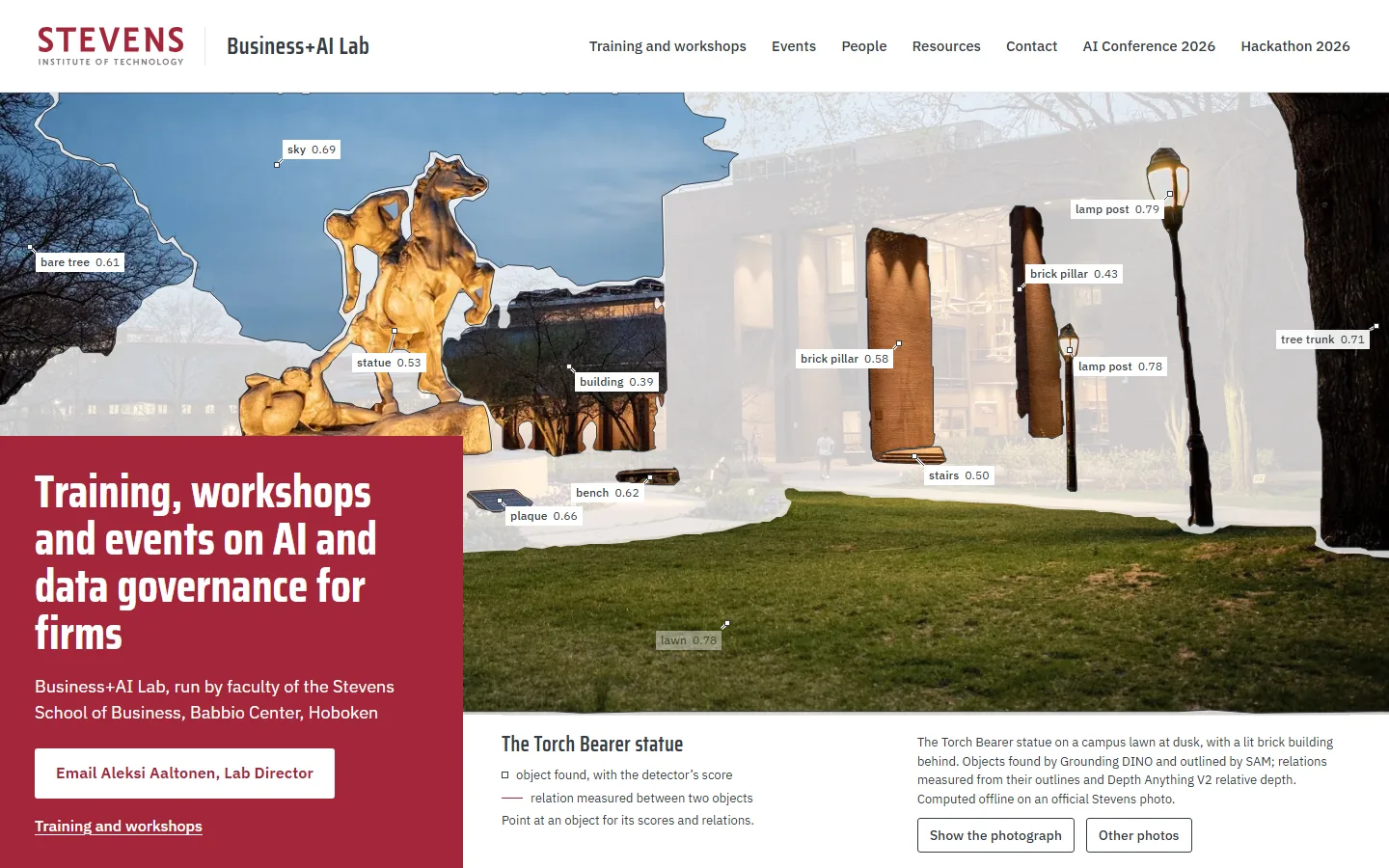
    3. Sample PA2 on a laptop, moment 3: thirteen objects outlined and named, from the statue and lamp posts to the bench and lawn3Every object outlined and named
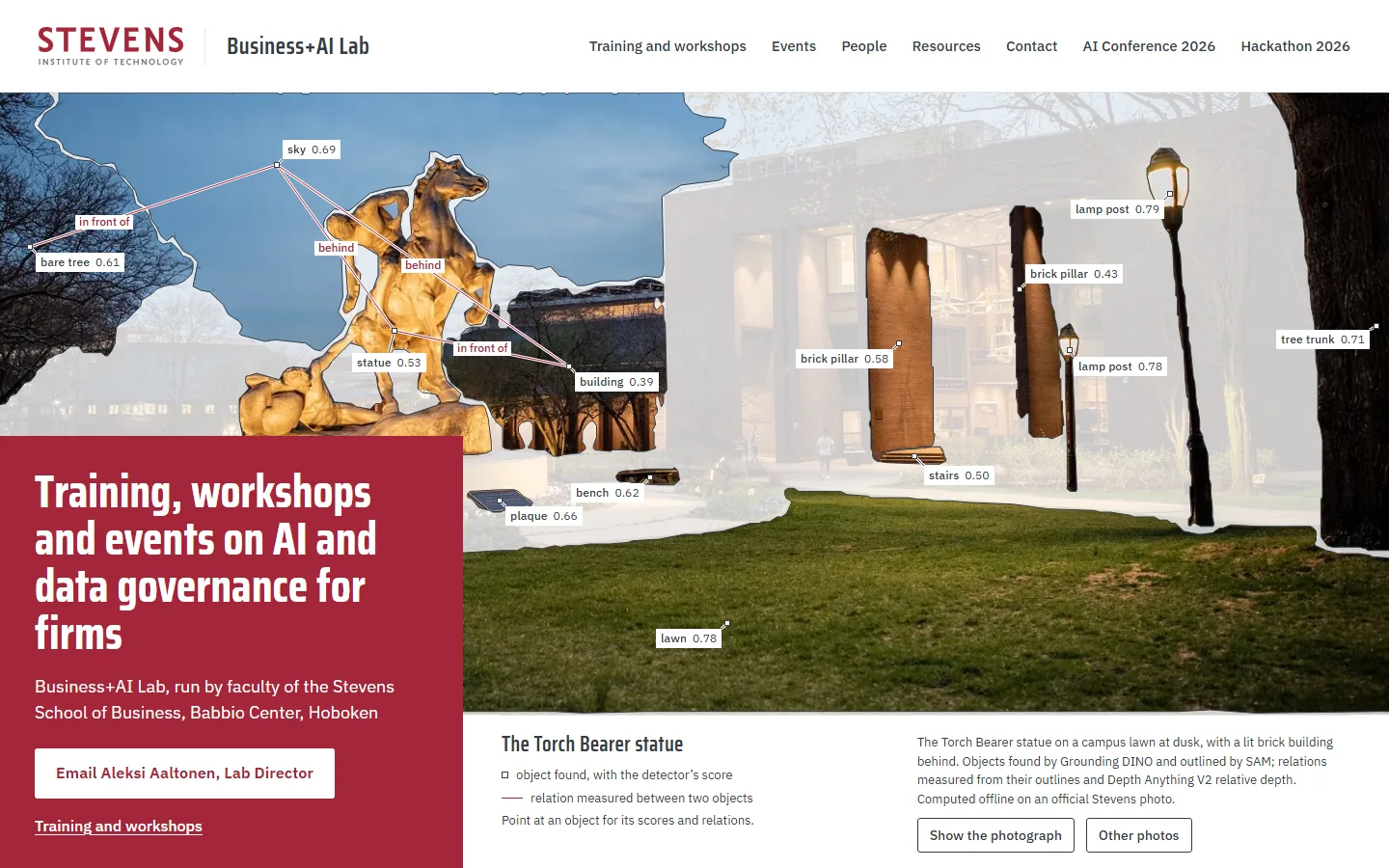
    4. Sample PA2 on a laptop, moment 4: red lines join the objects with their relations, such as the statue in front of the building4Relations in red: in front of, behind
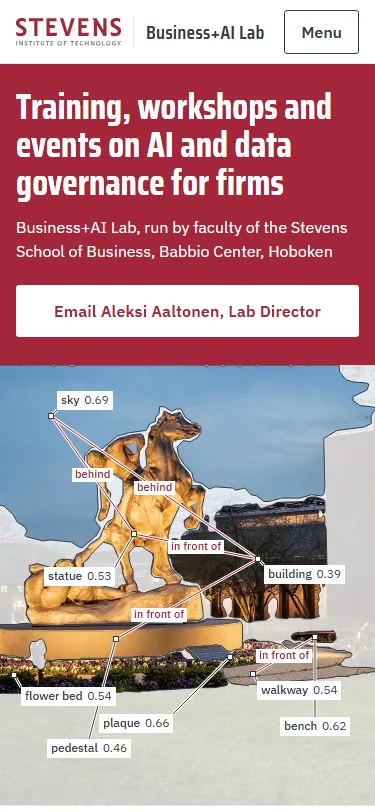
    Sample PA2, first screen on a phone: the offer and the email button above the statue, its parts named with their scores and relationsPhone, first screen

    Grounding DINO names the objects in the photo, SAM outlines them, and red lines give the relations measured from their outlines and depth, such as the statue in front of the building.

    Photos in its picker (9): torch-bearer (opens first), castle-point-skyline, eas, ucc-entrance, atrium, plaza, gateway, ucc, babbio-night.

  2. Sample PB2: Built by the Model

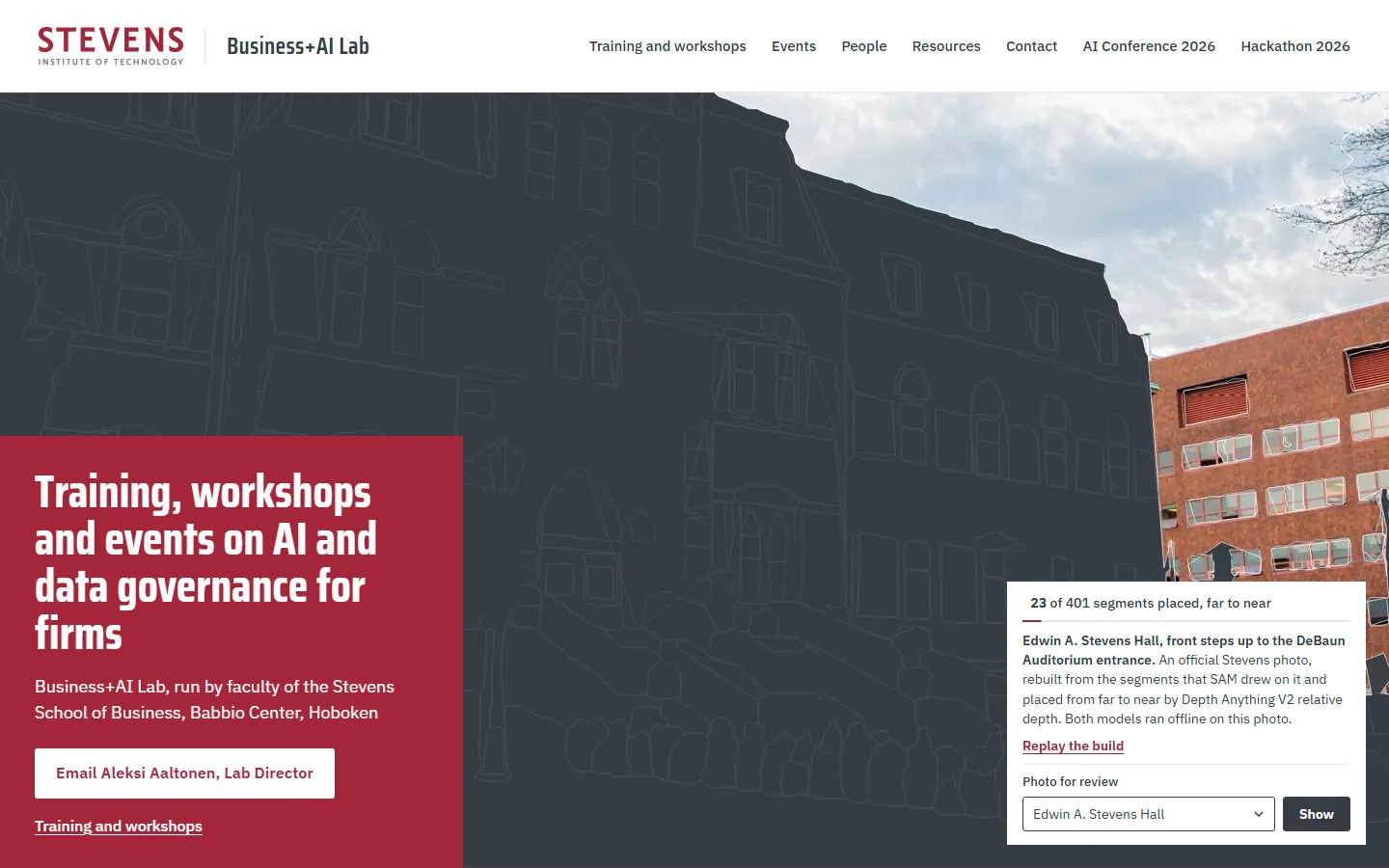
    1. Sample PB2 on a laptop, moment 1: a Dark Gray ground with the faint plan of every segment, the sky and the far brick building already in place; 23 of 401 segments placed123 of 401 segments, the farthest first
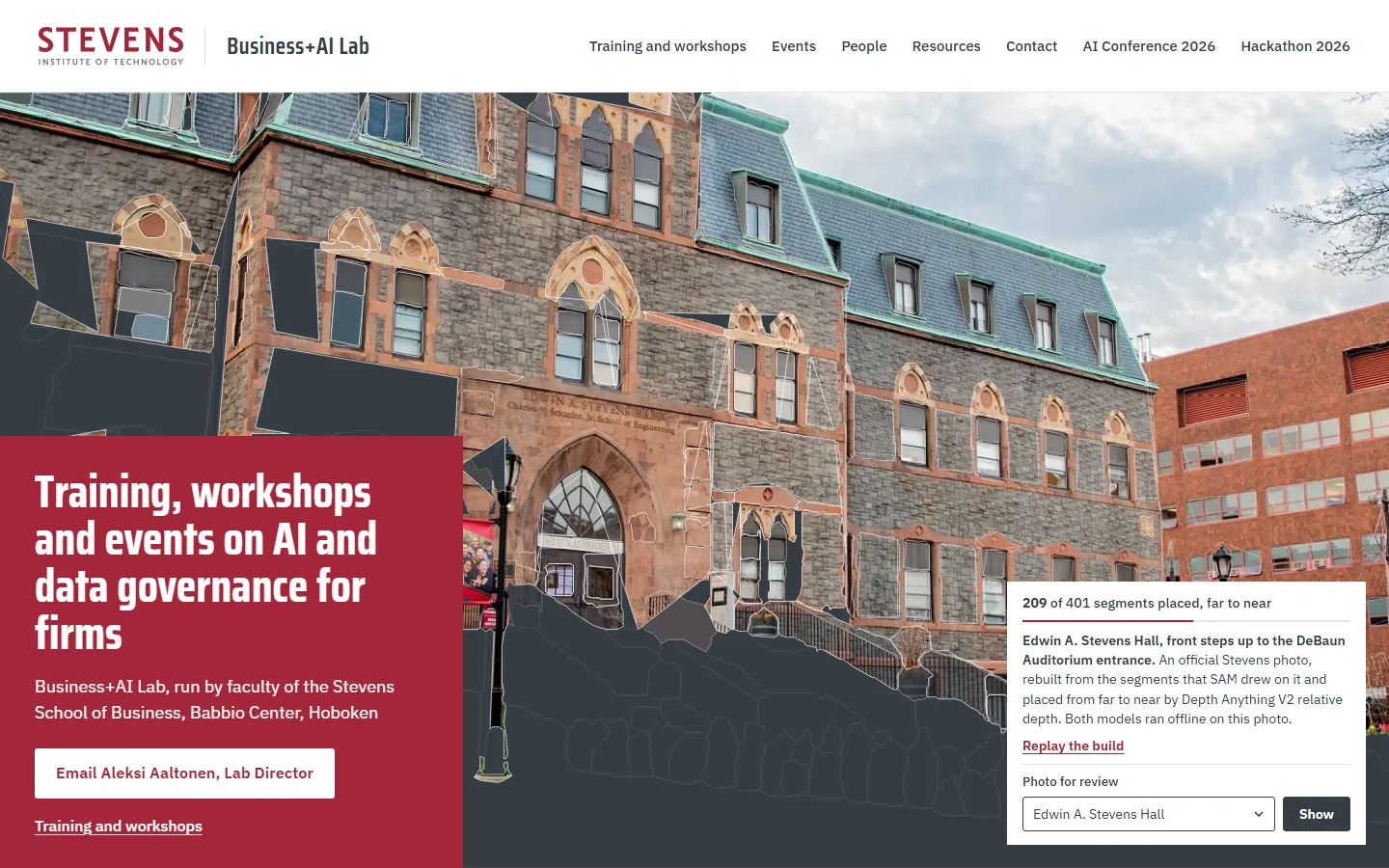
    2. Sample PB2 on a laptop, moment 2: most of Edwin A. Stevens Hall in place, with gray gaps where nearer segments have yet to land; 209 of 4012209 of 401: the hall arrives
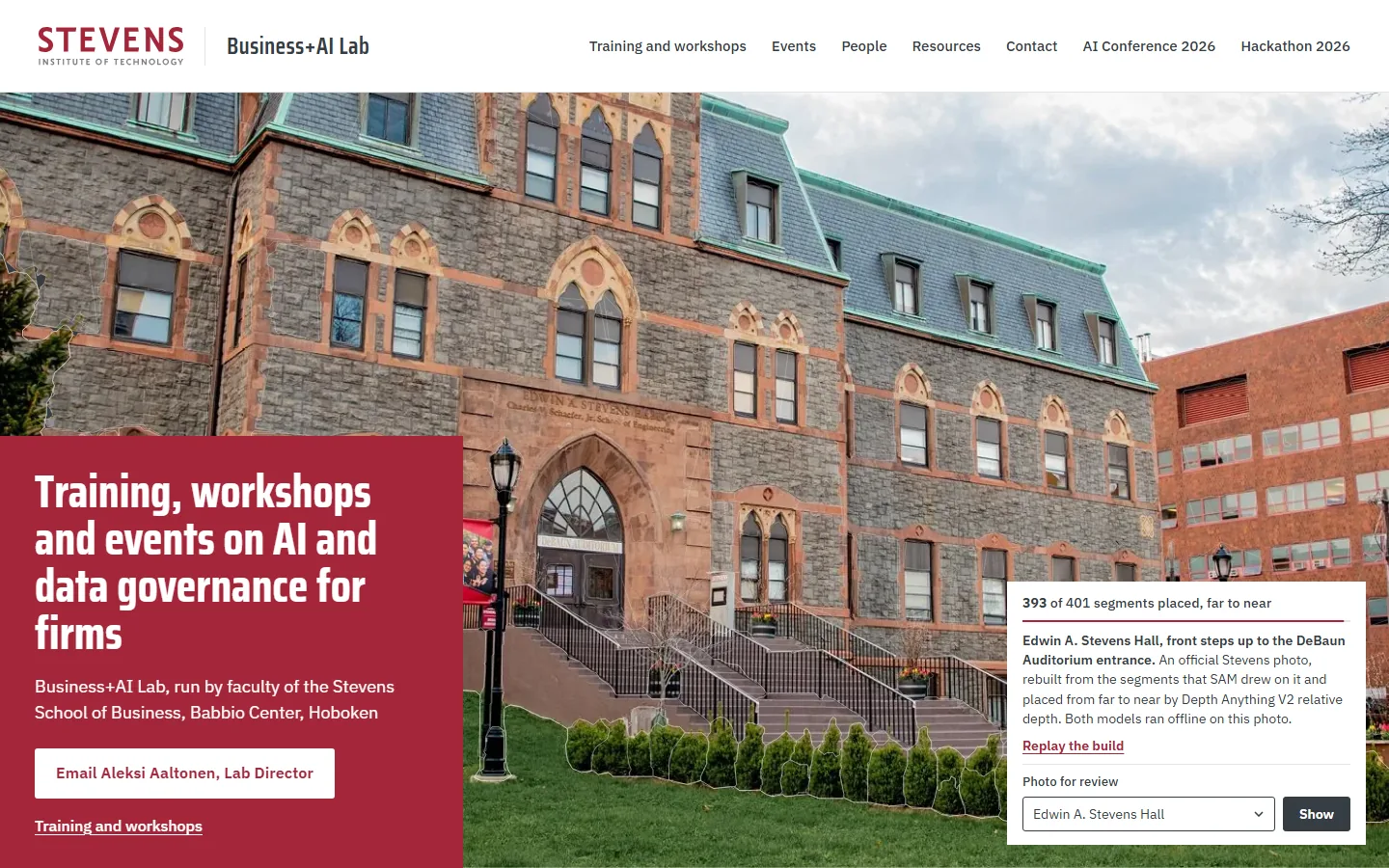
    3. Sample PB2 on a laptop, moment 3: the steps, hedge and lawn landing last; 393 of 4013393 of 401: the nearest pieces land
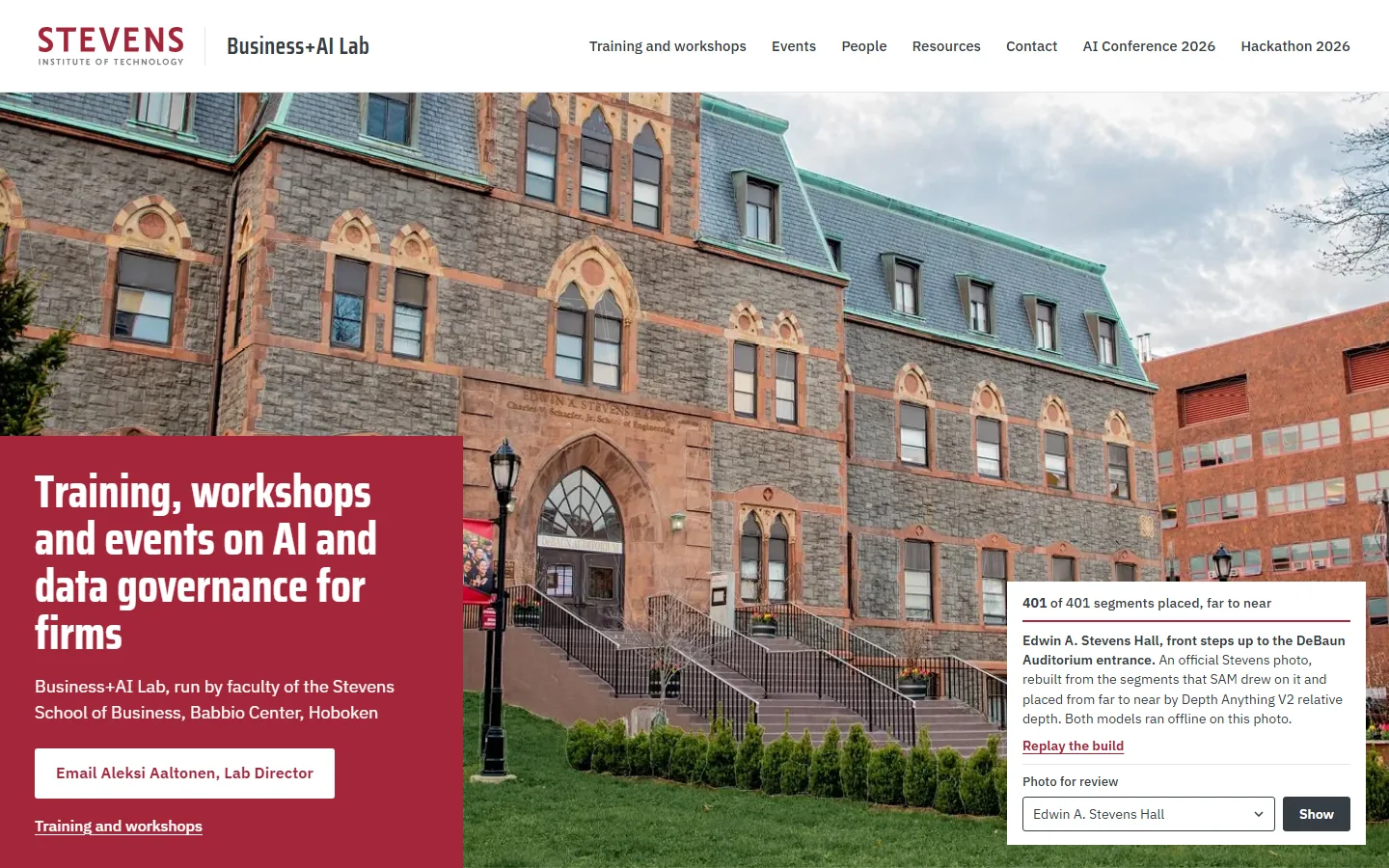
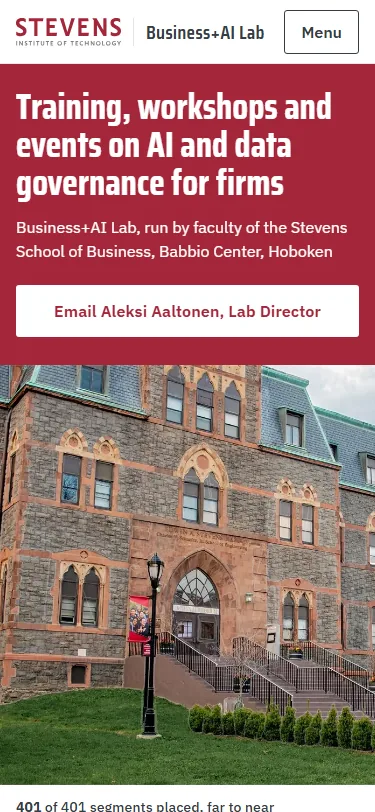
    4. Sample PB2 on a laptop, moment 4: the finished photo under a faint net of segment outlines; 401 of 4014401 of 401: the finished photo
    Sample PB2, first screen on a phone: the offer and the email button above the finished photo of the hall and its counterPhone, first screen

    The photo is rebuilt from the segments SAM drew on it, placed from far to near by Depth Anything V2, and the pointer reads each segment’s place in that order, its depth and its share of the photo.

    Photos in its picker (9): eas (opens first), castle-point-skyline, campus-view, torch-bearer, gateway, babbio-night, plaza, ucc, atrium.

  3. Sample PC2: Depth Cloud

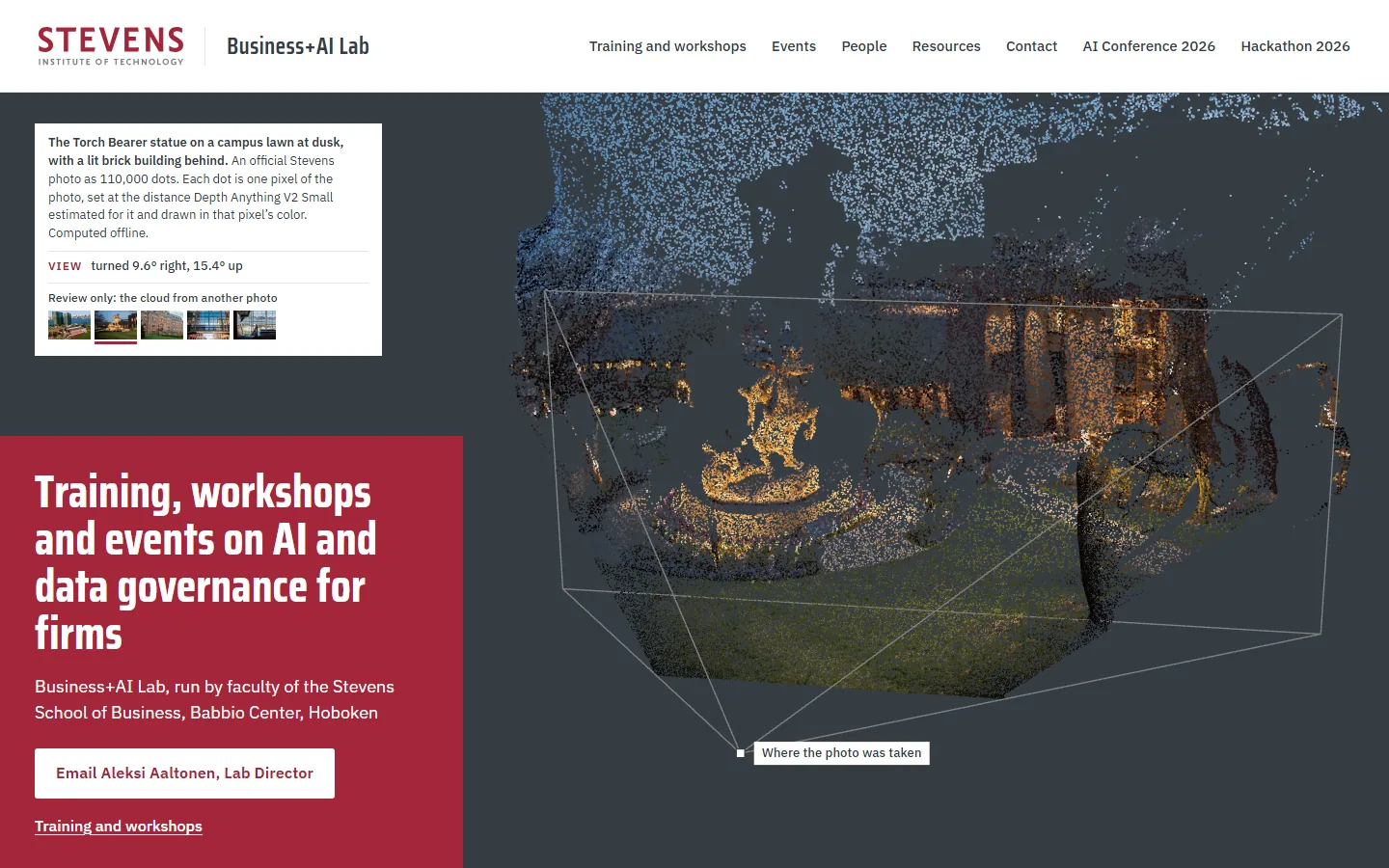
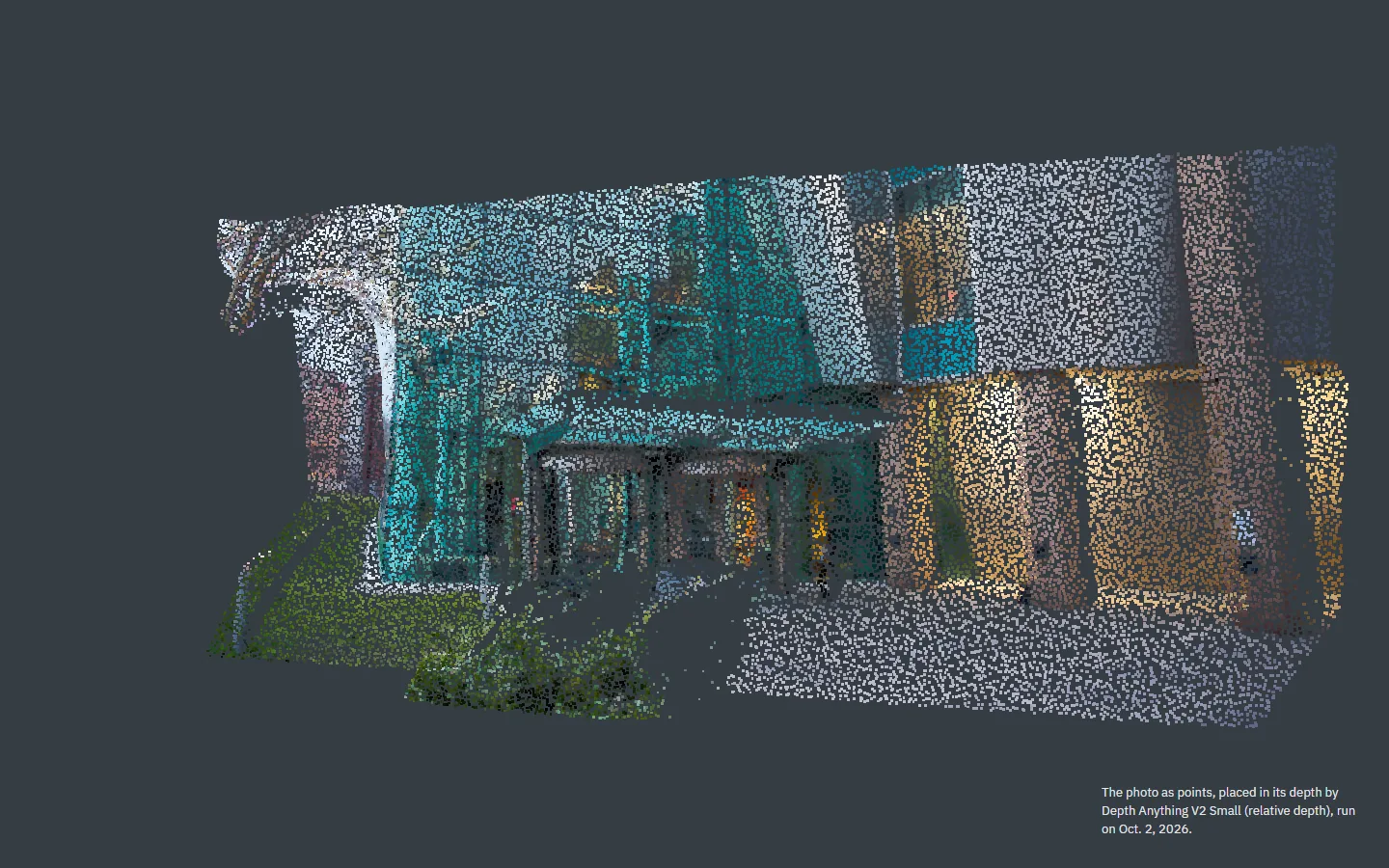
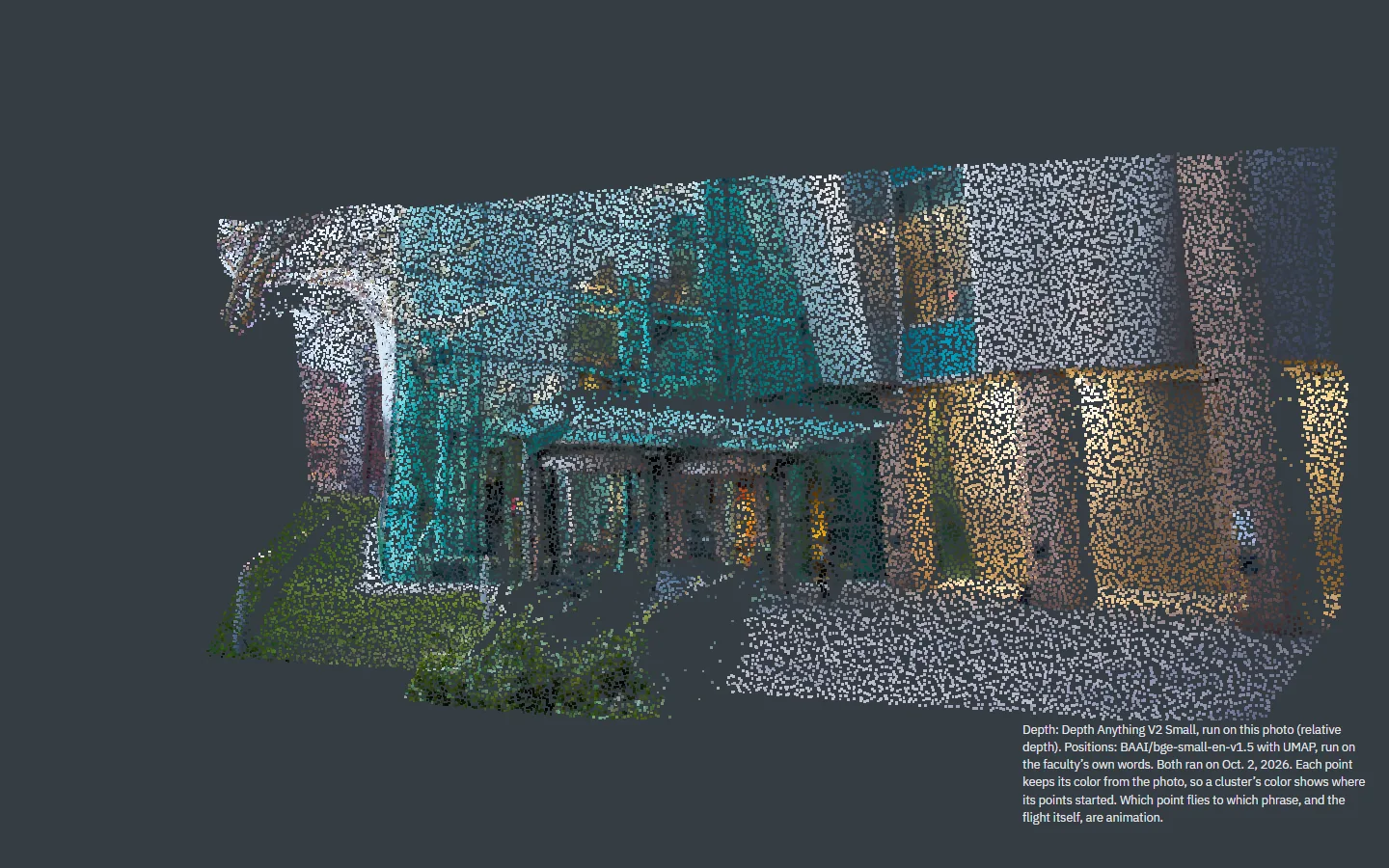
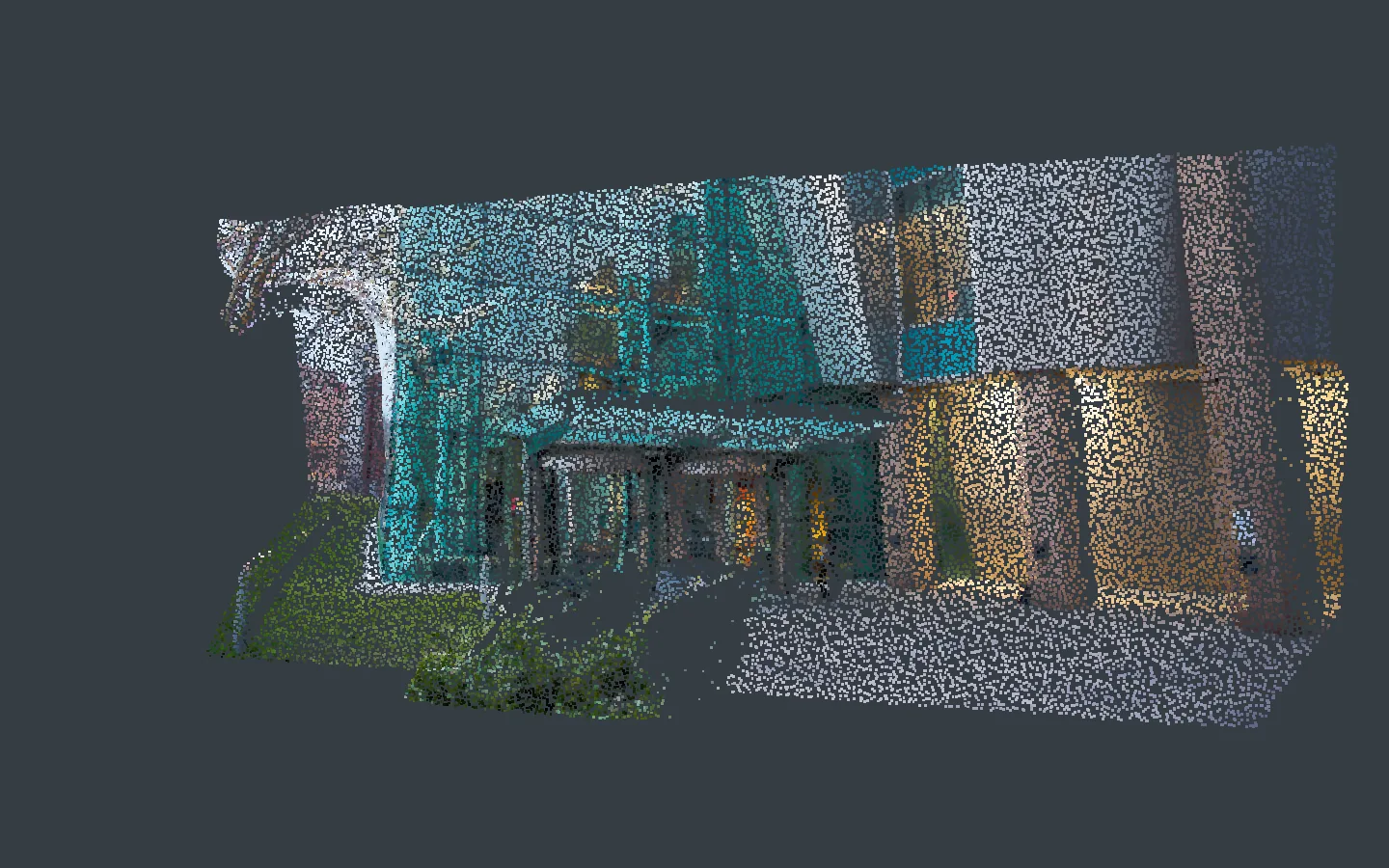
    1. Sample PC2 on a laptop, moment 1: the Torch Bearer photo as a cloud of colored dots, turned to show its depth, inside a frame marking where the photo was taken1The cloud at rest, turned to show its depth
    2. Sample PC2 on a laptop, moment 2: the camera turning back toward the photo's own viewpoint2Scroll: the camera turns back
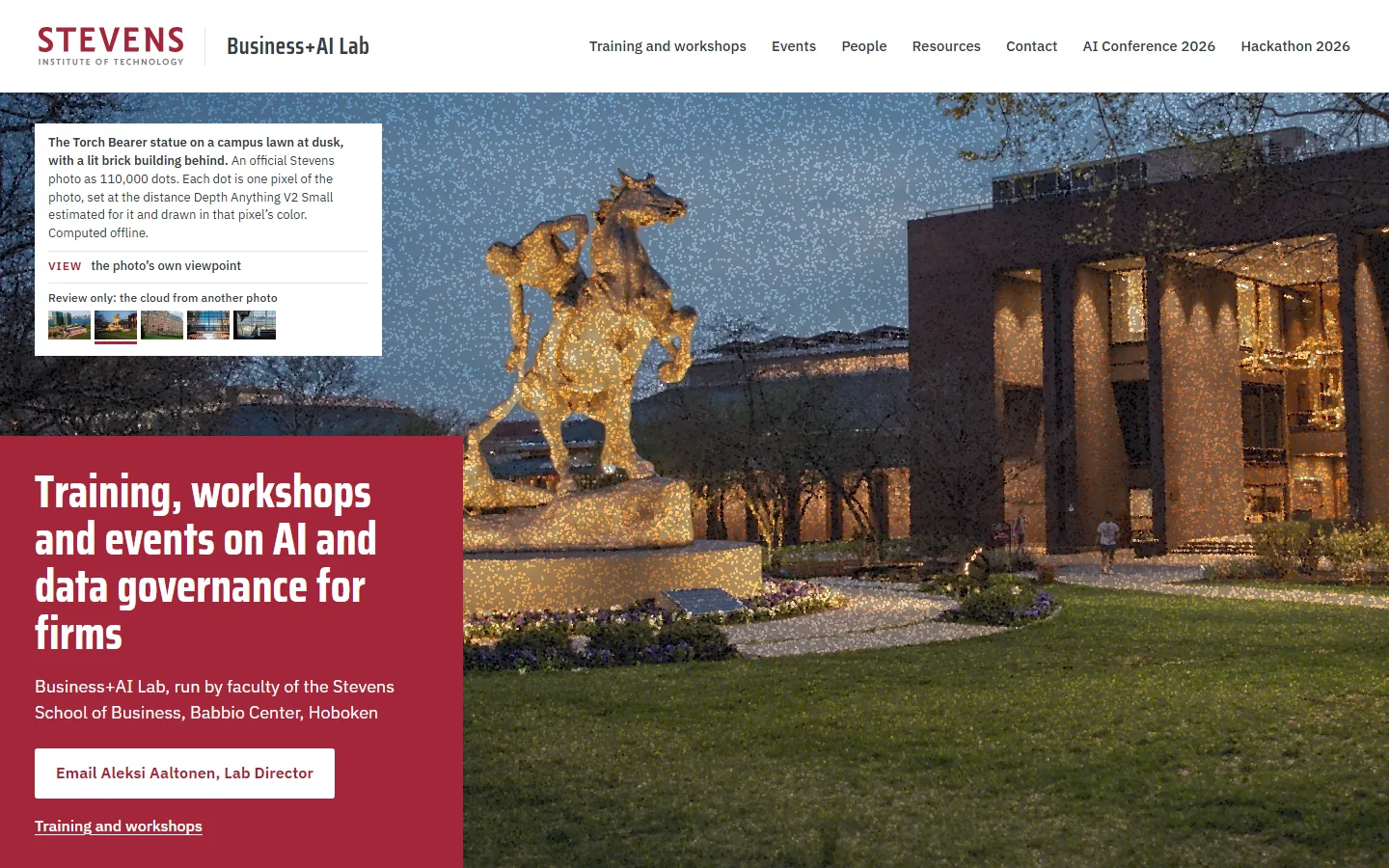
    3. Sample PC2 on a laptop, moment 3: the dots at the photo's own viewpoint as the photograph fades in under them3At the photo’s viewpoint, the photograph fading in
    4. Sample PC2 on a laptop, moment 4: the photograph itself4The photograph itself
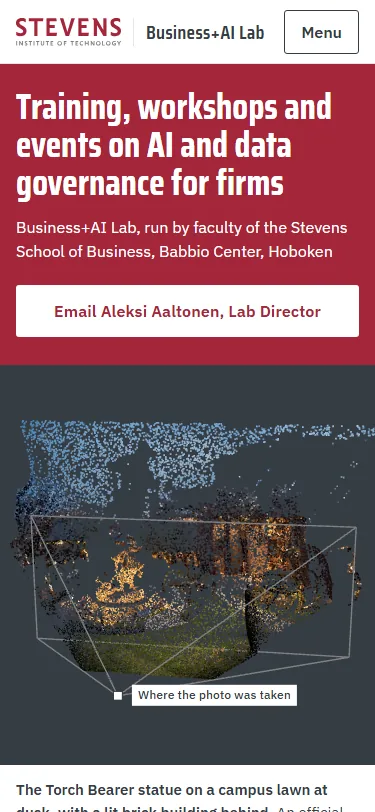
    Sample PC2, first screen on a phone: the offer and the email button above the dot cloud of the statuePhone, first screen

    The photo becomes 110,000 dots, each set at the distance Depth Anything V2 Small estimated for its pixel and drawn in that pixel’s color, and on scroll the camera returns to where the photo was taken as the photograph fades in.

    Photos in its picker (5): campus-view, torch-bearer (opens first), eas, gateway, atrium. Babbio-night and river-nyc came off after review: their skies turn into flat slabs.

Tokens as an easter egg

  1. Sample RT2: River of Titles with a token easter egg

    1. Sample RT2, close-up after a 0.3 second rest on the word computational in Jordan Suchow's row: plain text0.3 sPlain text
    2. Sample RT2, close-up at 0.9 seconds: hairlines and token IDs on computational, split as compu 11639, t 83, ational 3108, and on the words around it0.9 s“computational” shows its three tokens
    3. Sample RT2, close-up at 1.6 seconds: the tokens have spread to the rows above and below1.6 sThe ripple reaches the rows around it
    4. Sample RT2, close-up at 4 seconds: the tokens receding from the center outward4 sReceding in the same order
    Sample RT2, first screen on a phone: the offer and the email button above the skyline drawing and the river of titlesPhone, first screen

    Round 2’s R keeps its river of titles, adds round 4’s People and research section in plain type, and hides the real CLIP tokens of the words on the page: they show only after a rest, spread to the neighboring words like a ripple, and recede after 3 seconds.

    To trigger it, rest the pointer on a word in People and research for about a second. Names, links, buttons, the menu and the river never trigger it, and phones have no egg.

    The original R, River of Titles, with motion on
From the Building to the Ideas, calmer endings

All four keep round 4’s first screen and flight, and change only the ending.

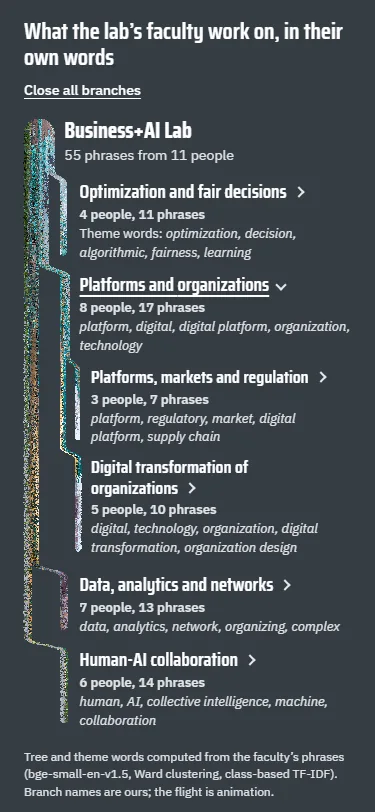
BI2-tree answers the request for the themes in a recursive, branching form.

  1. Sample BI2-tree: A research tree

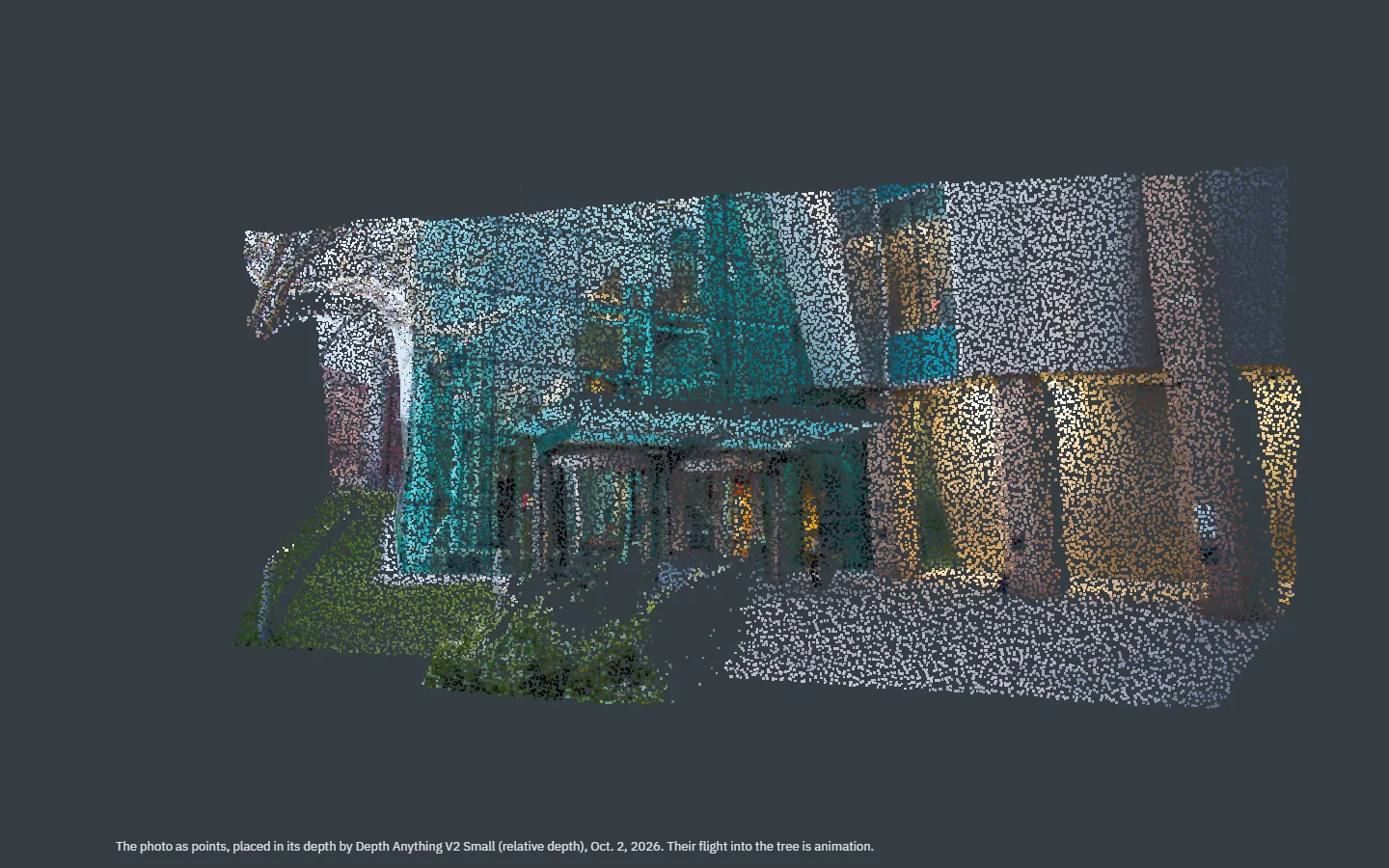
    1. Sample BI2-tree on a laptop, moment 1: the Babbio entrance as points, turned to show its depth1The photo as points
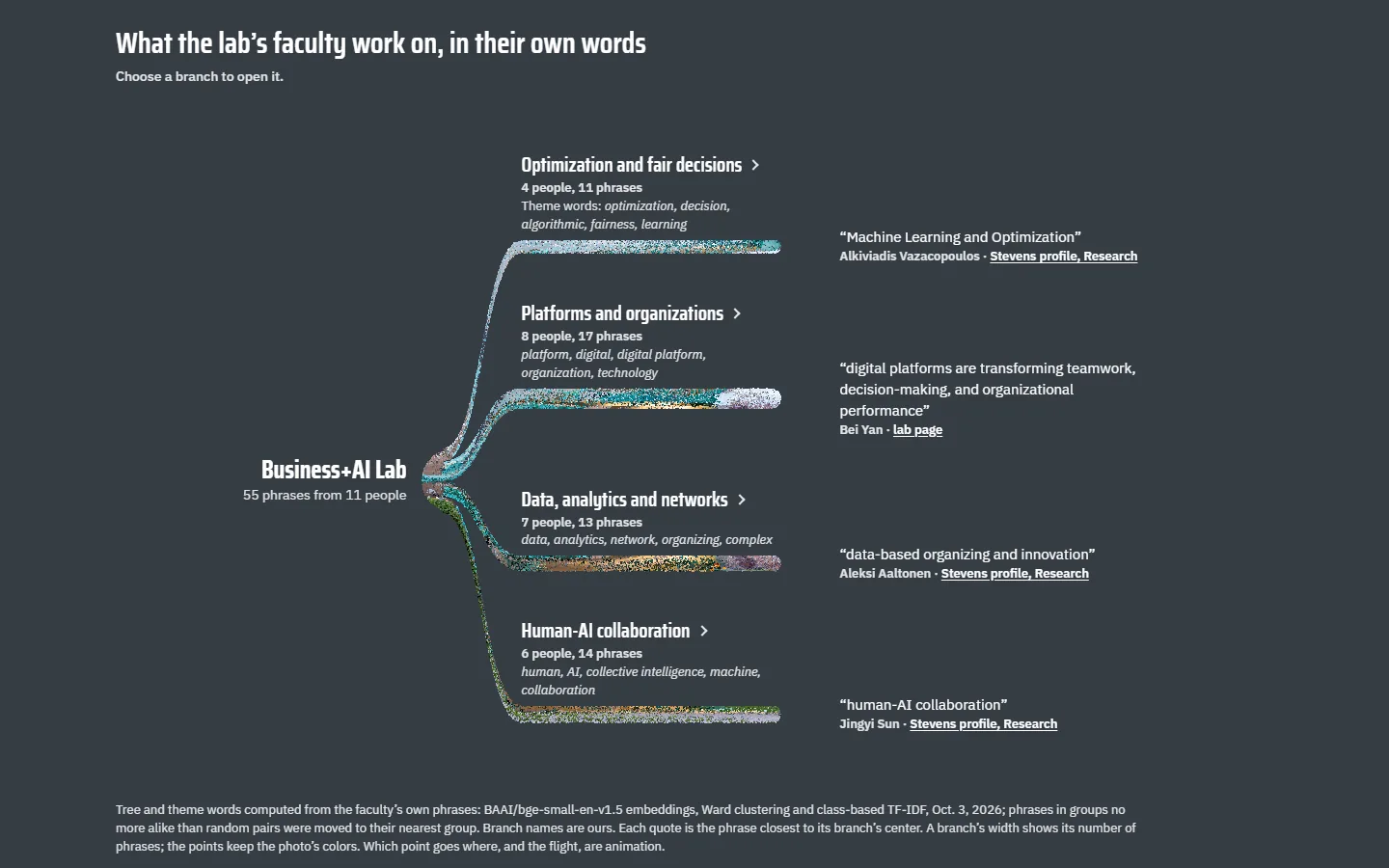
    2. Sample BI2-tree on a laptop, moment 2: a root and four branches of points, each branch with its name, counts, theme words and its most central phrase2Four branches, each with one quote
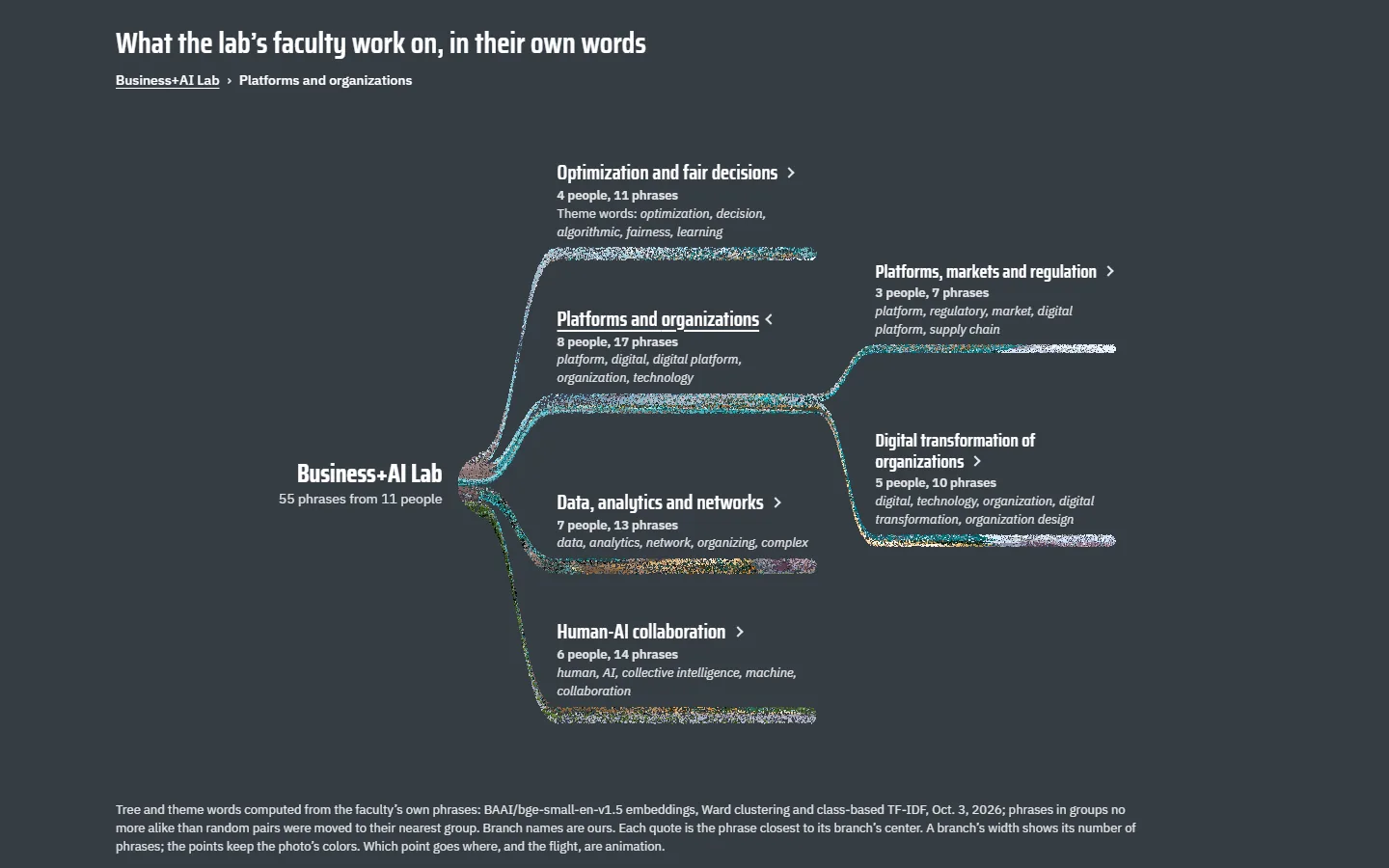
    3. Sample BI2-tree on a laptop, moment 3: the branch Platforms and organizations opened into two sub-branches3A branch opens into its sub-branches
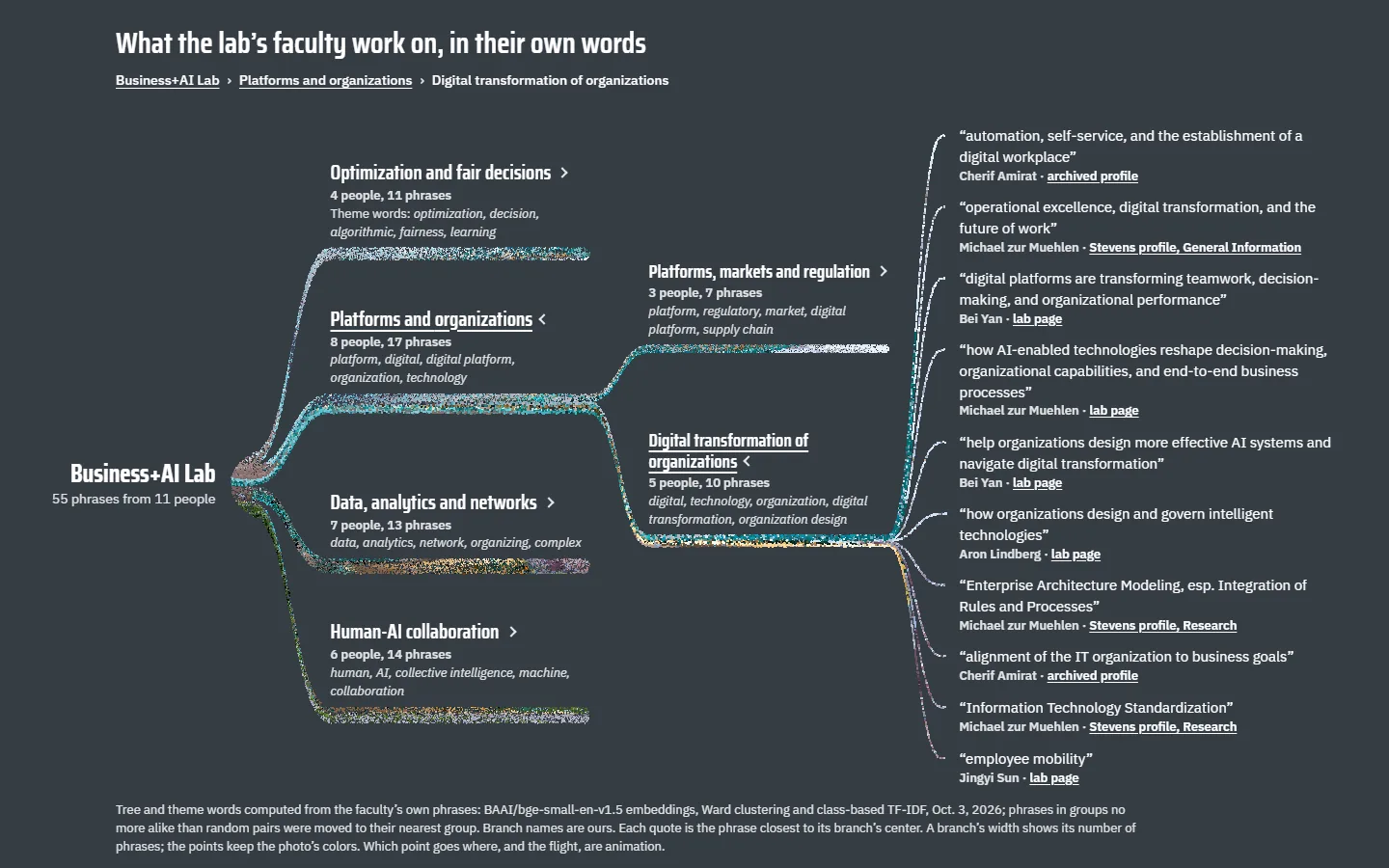
    4. Sample BI2-tree on a laptop, moment 4: the sub-branch Digital transformation of organizations opened into its ten phrases, each with a name and source4A sub-branch opens to its phrases
    Sample BI2-tree on a phone: the tree indented down the screen, one branch open with its two sub-branchesPhone, a branch open

    The points grow into a tree computed from the 55 phrases (bge-small-en-v1.5 embeddings, Ward clustering): 4 branches and 9 sub-branches, each with its computed theme words, opened one level at a time down to the phrases. The branch names are ours.

  2. Sample BI2-person: Eleven constellations

    1. Sample BI2-person on a laptop, moment 1: the Babbio entrance as points, turned to show its depth1The photo as points
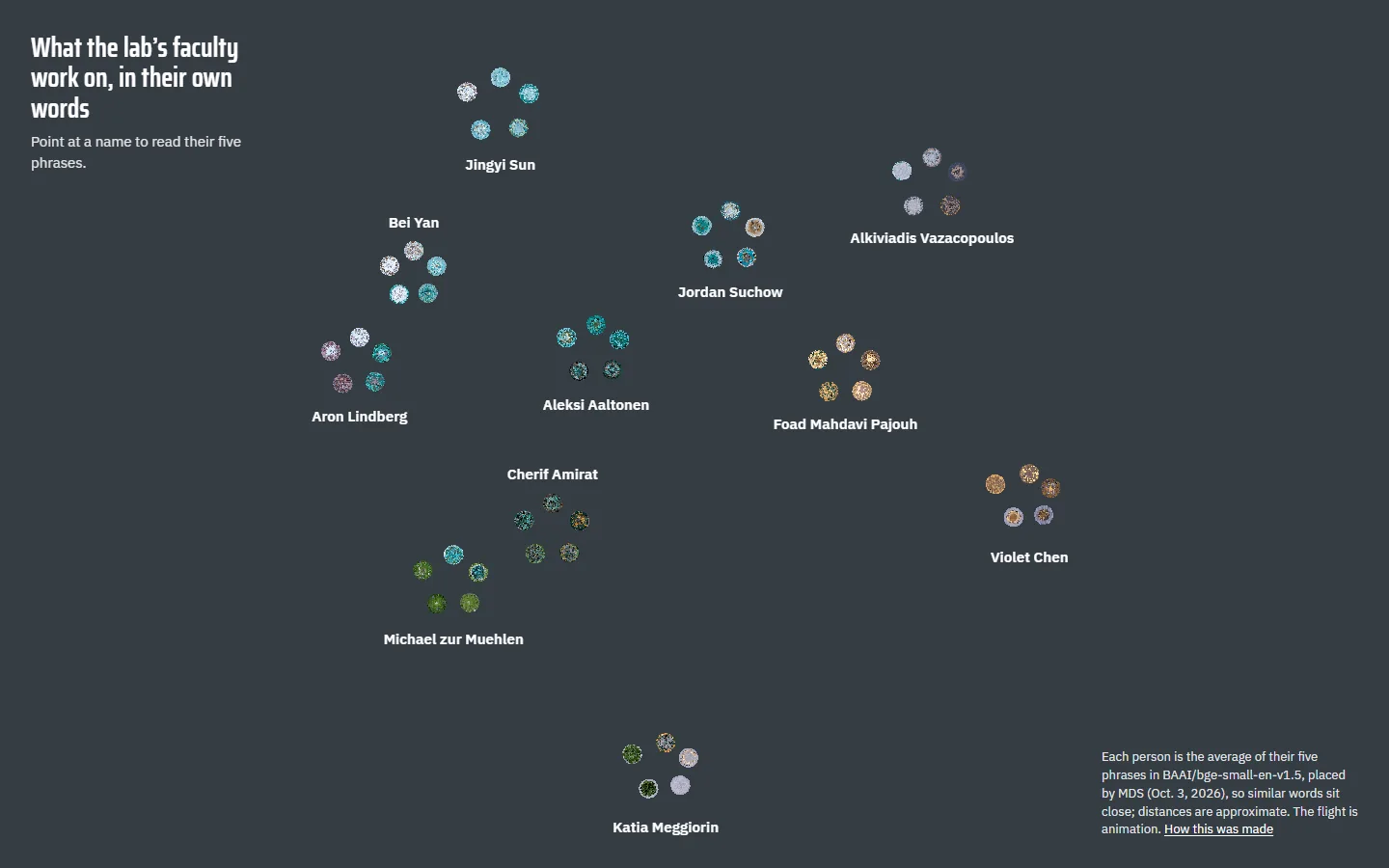
    2. Sample BI2-person on a laptop, moment 2: points landing in small groups of five stars2The constellations form
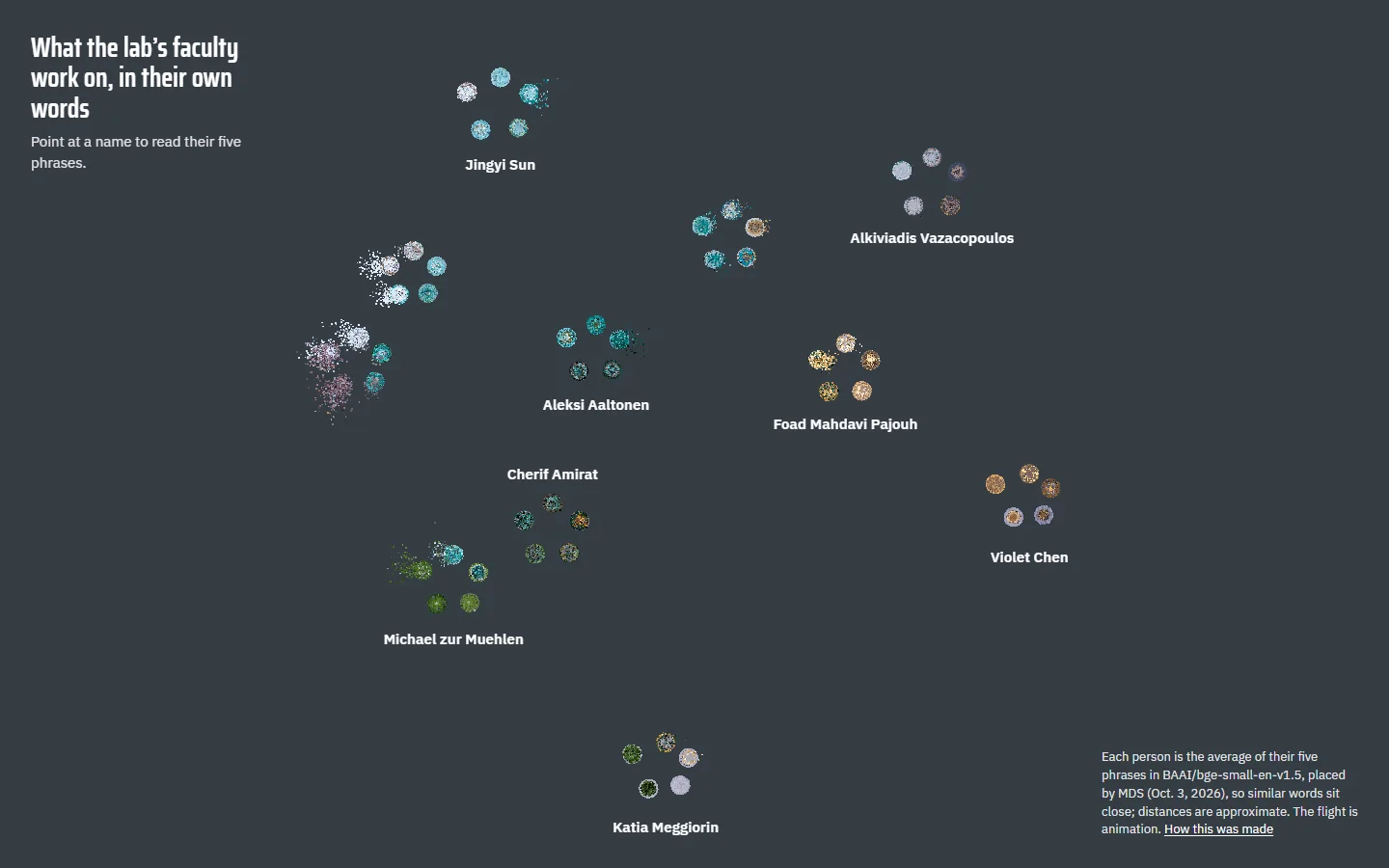
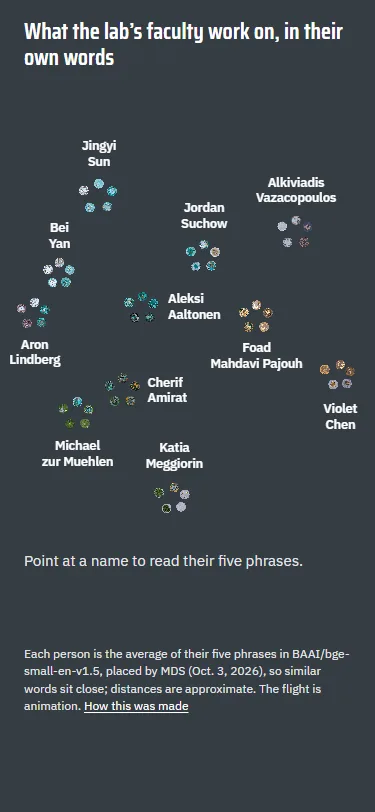
    3. Sample BI2-person on a laptop, moment 3: eleven constellations of five stars, each with one name3Eleven names, nothing more
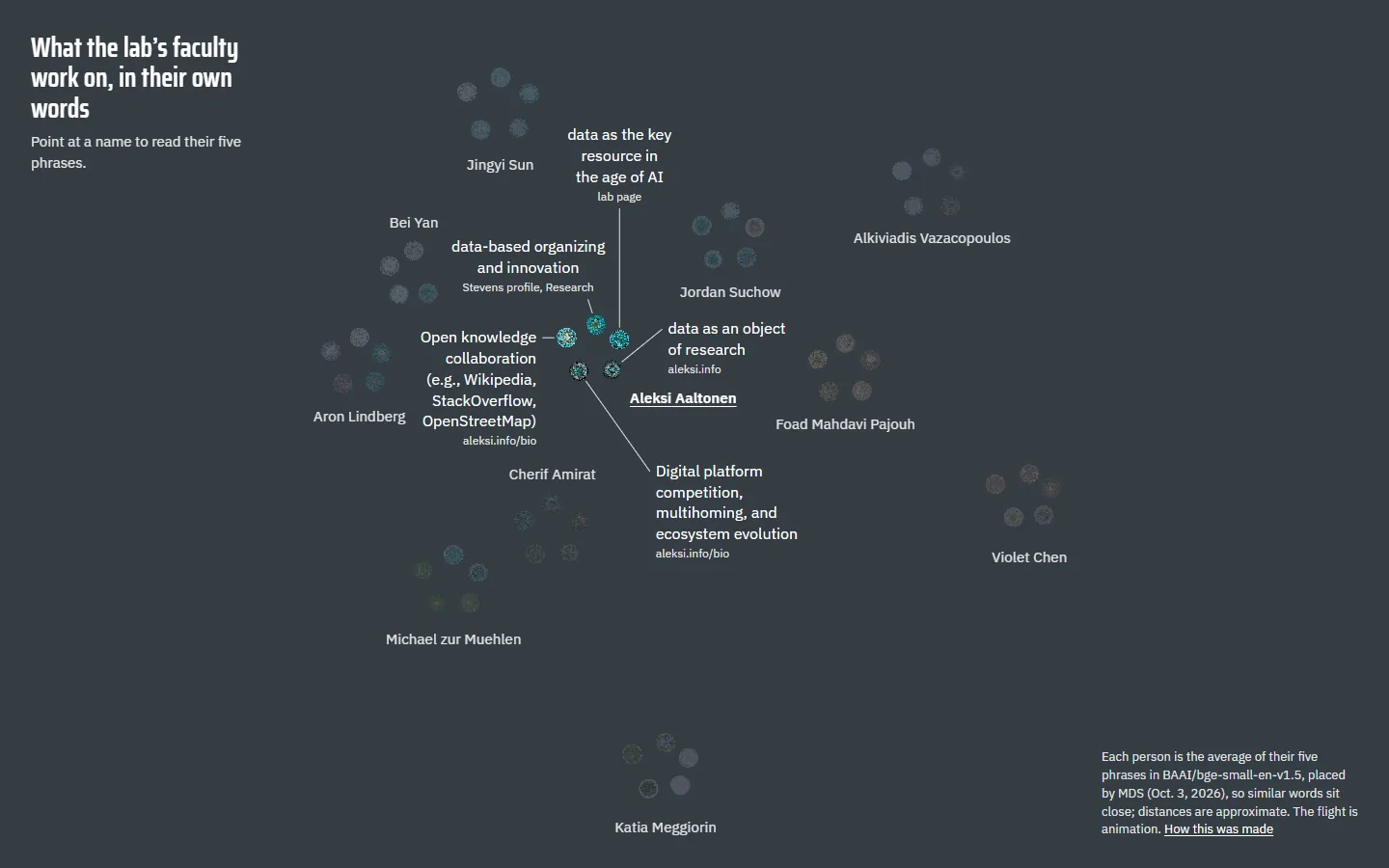
    4. Sample BI2-person on a laptop, moment 4: pointing at Aleksi Aaltonen opens a ring of his five phrases with their sources, and the others dim4Pointing at a name opens five phrases
    Sample BI2-person on a phone: the eleven constellations with their namesPhone, the ending

    The points settle into eleven constellations of five stars, one per faculty member, placed so that members with similar words sit close; only the names show until the reader points at one, which opens a ring of that member’s five phrases with their sources (on phones, a tap opens them in a panel).

  3. Sample BI2-lens: A lens on the map

    1. Sample BI2-lens on a laptop, moment 1: the Babbio entrance as points, turned to show its depth1The photo as points
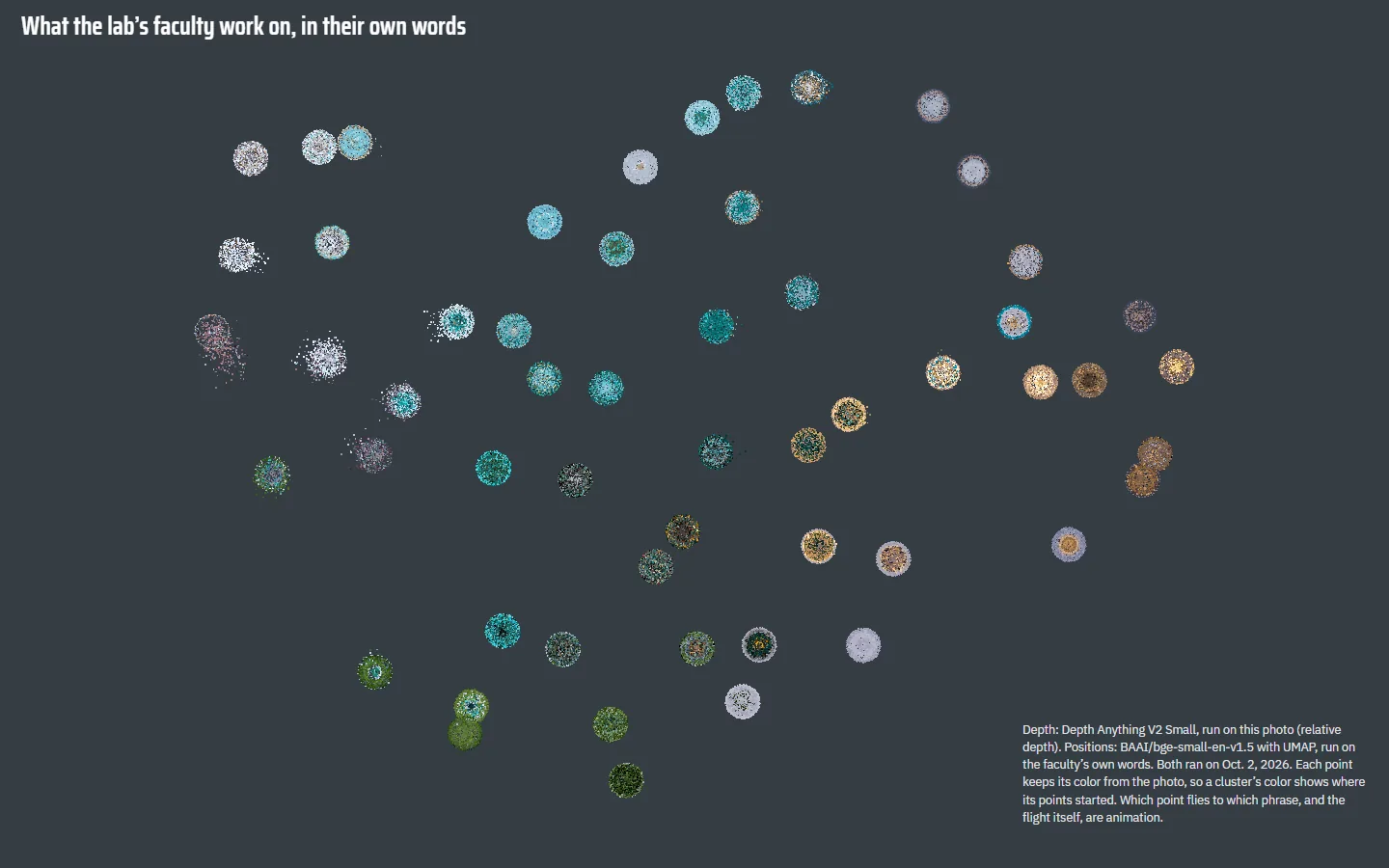
    2. Sample BI2-lens on a laptop, moment 2: 55 small clusters on the map with no labels255 clusters, no labels
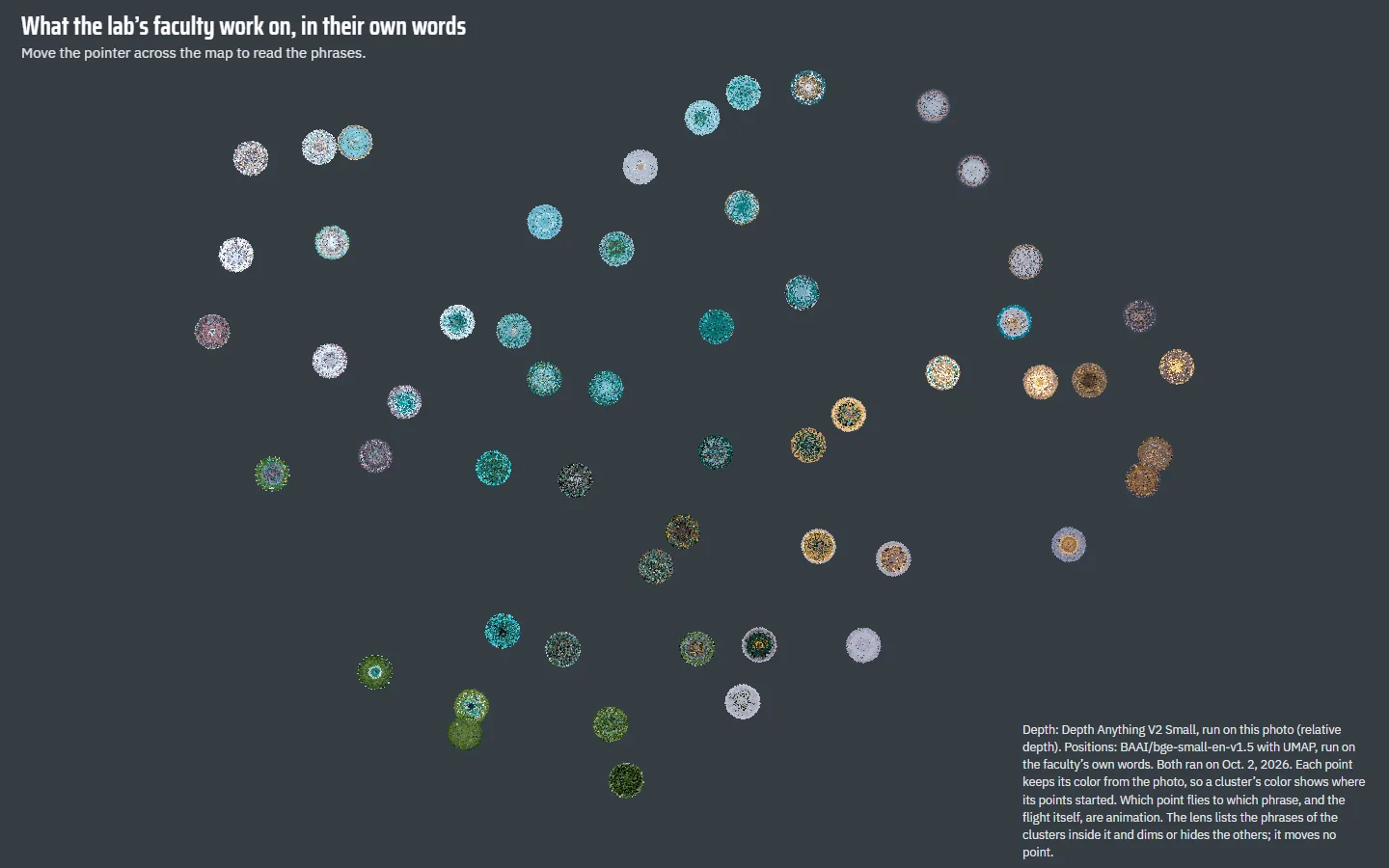
    3. Sample BI2-lens on a laptop, moment 3: the settled map with one sentence under the heading: move the pointer across the map to read the phrases3One sentence invites the pointer
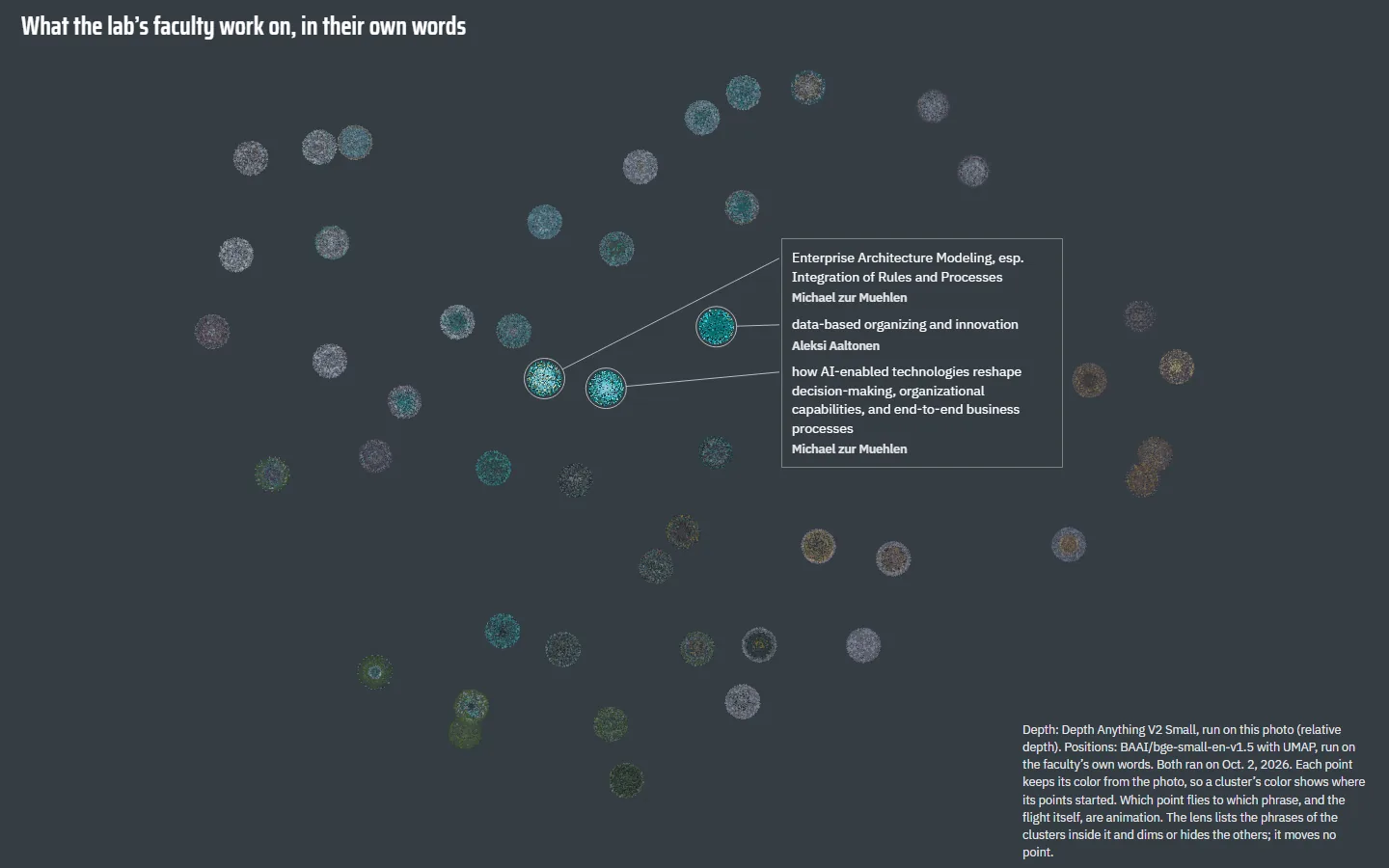
    4. Sample BI2-lens on a laptop, moment 4: three clusters lit under the pointer, joined by hairlines to a short column of their phrases and names, the rest of the map dimmed4The lens lights three clusters
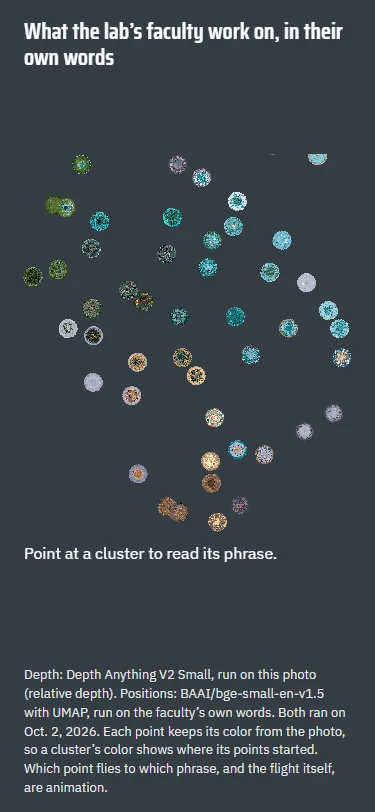
    Sample BI2-lens on a phone: the 55 clusters and the line: point at a cluster to read its phrasePhone, the ending

    The map keeps round 4’s 55 clusters without their labels, and a lens follows the pointer: up to five nearby clusters stay lit, their phrases and names stand in a short column beside them, and the rest of the map dims.

    On phones (under 766 px) there is no lens: a tap rings one cluster and the caption below reads its phrase.

  4. Sample BI2-themes: Eight themes

    1. Sample BI2-themes on a laptop, moment 1: the Babbio entrance as points, turned to show its depth1The photo as points
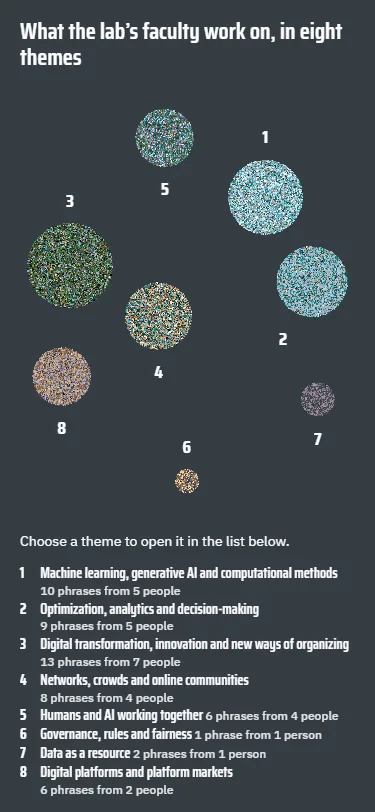
    2. Sample BI2-themes on a laptop, moment 2: the points filling eight discs as their names come in, with the theme index beside them2Eight discs fill, their names come in
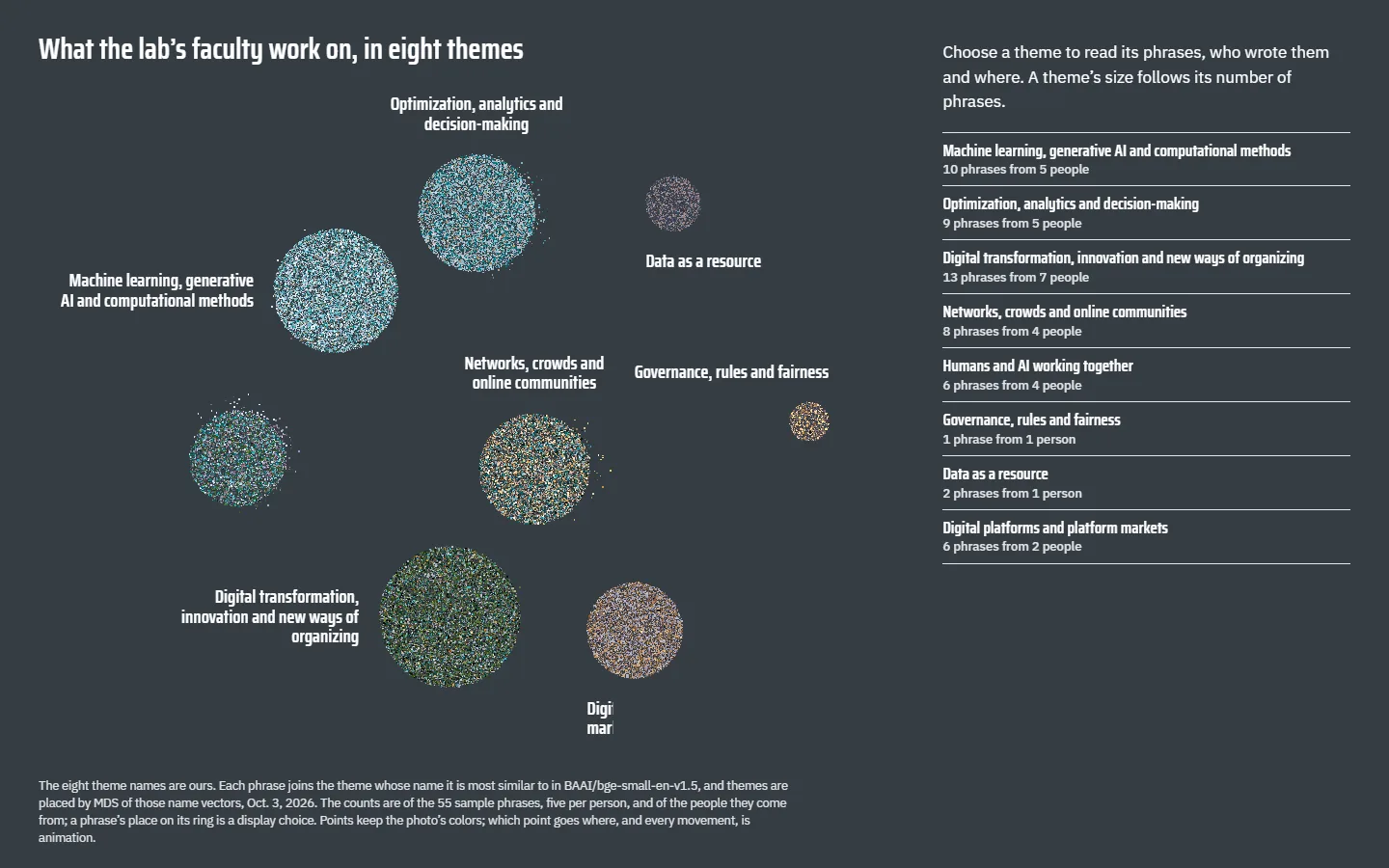
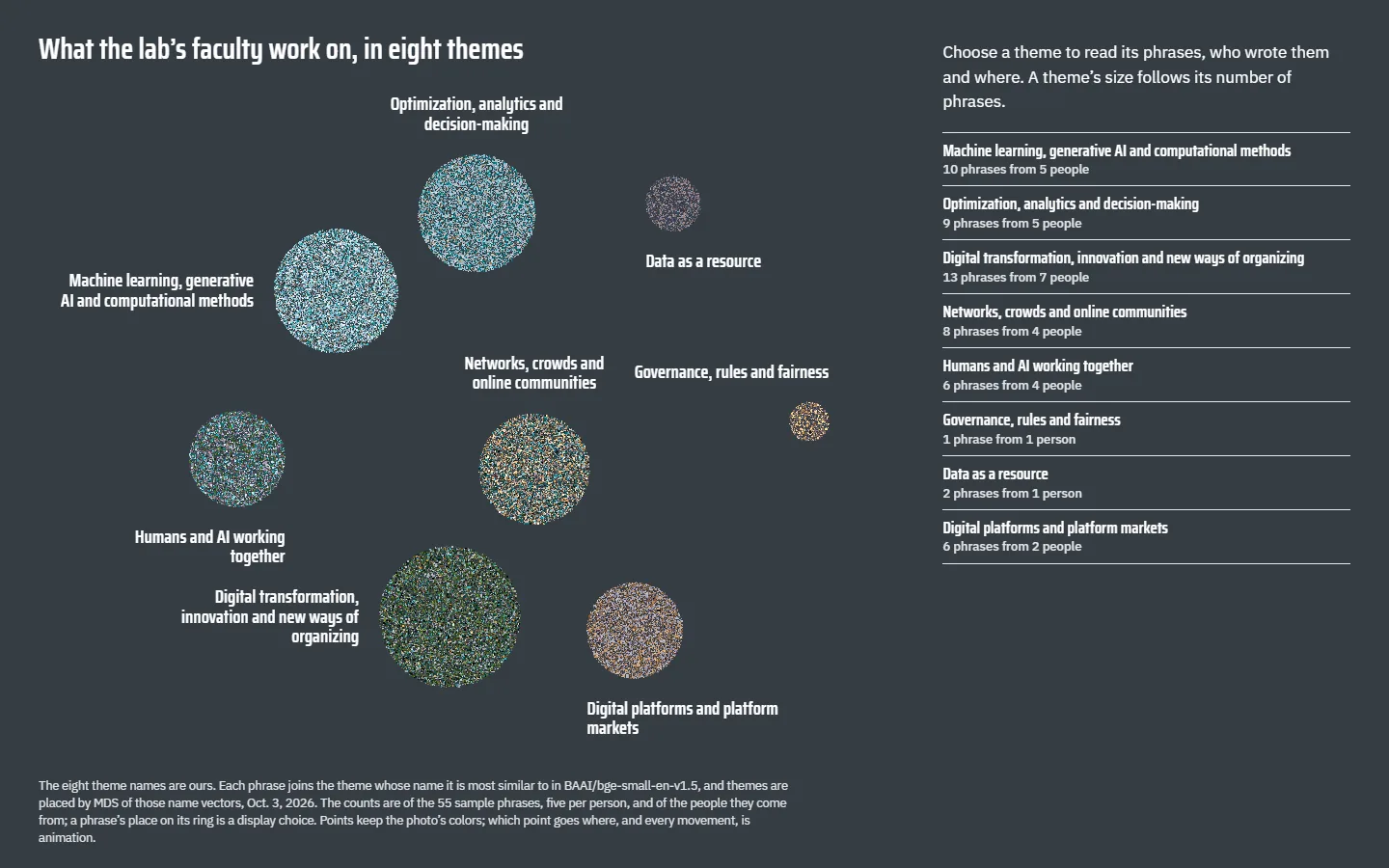
    3. Sample BI2-themes on a laptop, moment 3: eight named discs and an index of the themes with their counts3Eight themes with their counts
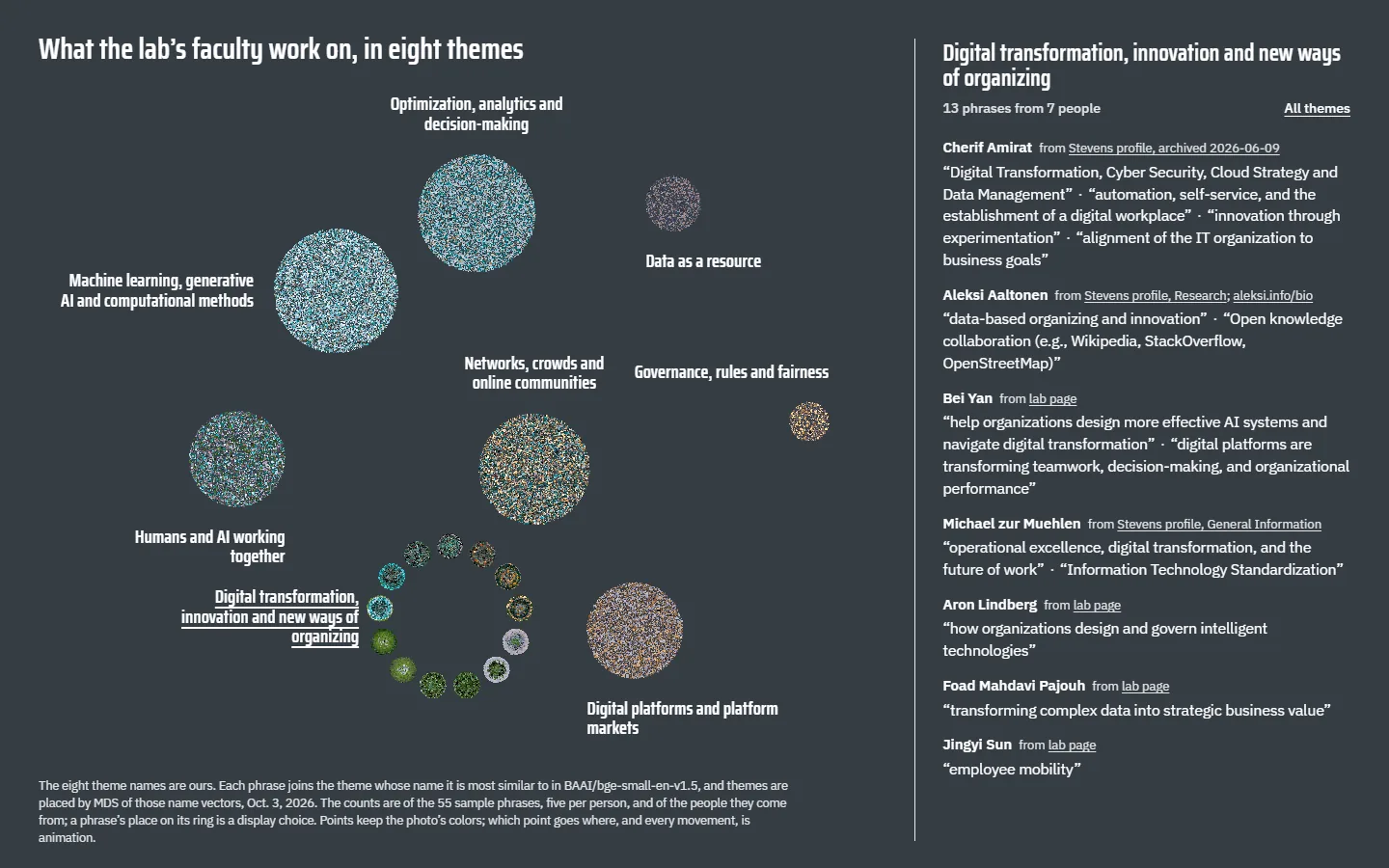
    4. Sample BI2-themes on a laptop, moment 4: the theme Digital transformation, innovation and new ways of organizing opened into a ring of small clusters, its phrases listed by name beside the map4One theme opens into its phrases
    Sample BI2-themes on a phone: eight numbered discs and a key with each theme's name and countPhone, the ending

    The points land in eight discs, one per theme from the lab’s own table, each as large as its number of phrases; choosing one opens it into a ring of its phrases, listed under each faculty member with their sources. The theme names are ours, and the model puts each phrase in the theme whose name is closest to it.

The round-4 version of From the Building to the Ideas, with motion on